Flat lists hid which units sat inside which.
Make hierarchy spatial.
A vertical tree with visible nesting.
Oren Sustainability Hub · User Management
Oren’s flat lists hid how units and people connected. I redesigned the hierarchy and management actions for sustainability teams.
The result in sixty seconds
I turned a combined setup-and-assignment brief into a focused release using existing endpoints. Clients used the management actions and returned to the page.
24 client users · 20 organisations · 21 July–20 September 2026. Submit clicks do not confirm saves or first-try success; timing has no before comparison. See each goal against its evidence →
Overview
The brief combined building the organisation with assigning reporting questions. I separated those jobs and focused this release on the structure and people that reporting depends on.
My contribution. I reframed the brief with delivery, designed the hierarchy and interactions, checked feasibility with engineering, and analysed live behaviour.
Who this is for
They set up the company at the start of a reporting cycle, then return to manage people and access. They use this screen infrequently and need confidence about where a change will apply. A company has a shape: sites inside regions, people inside sites.
The goals
01 · The brief
Delivery wanted a flow chart: the company as a diagram, with reporting questions assigned onto it. As a standalone artifact it was good, and they wanted that only. The job customers were stuck on sat underneath a job they had not reached yet.
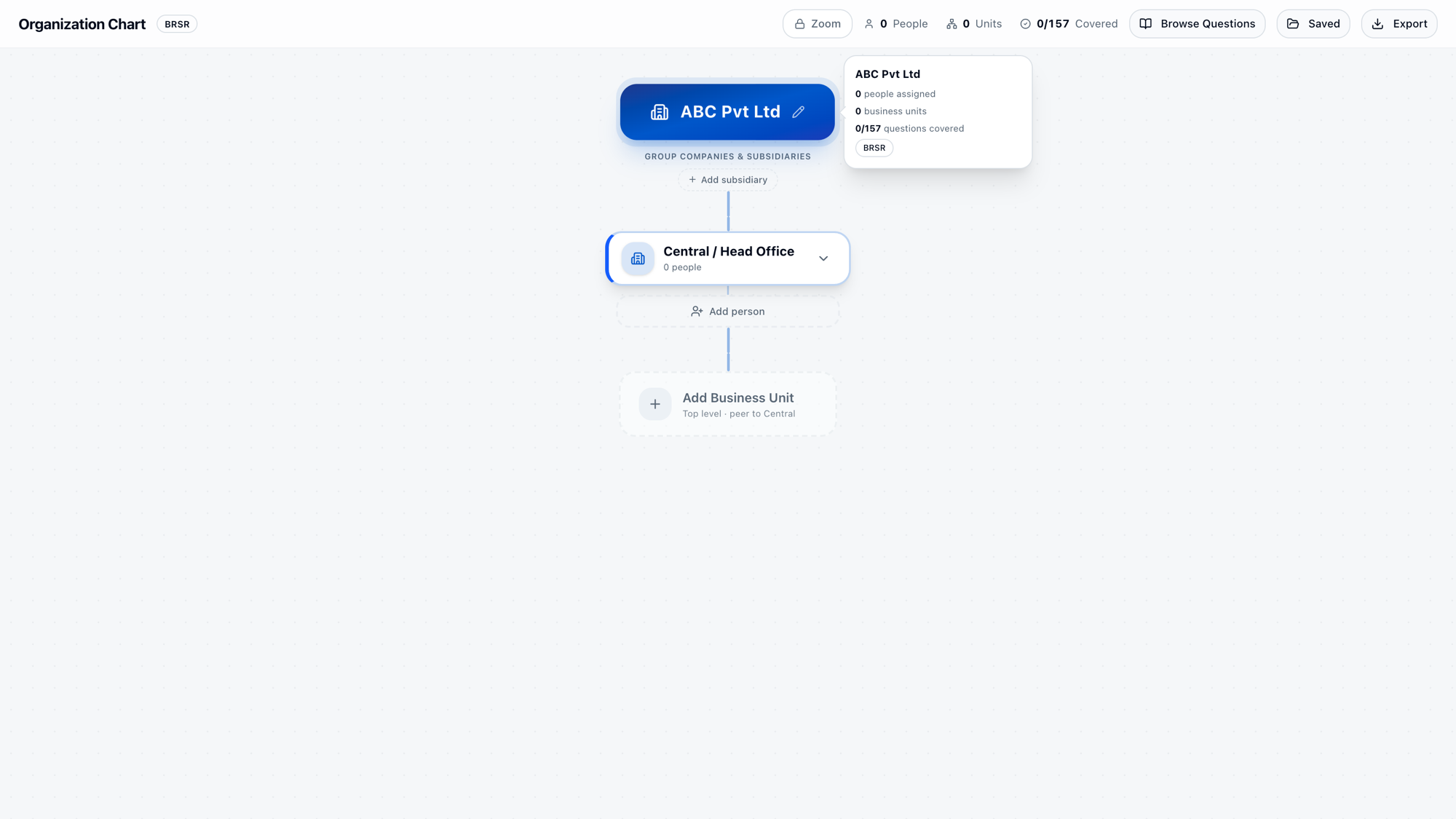
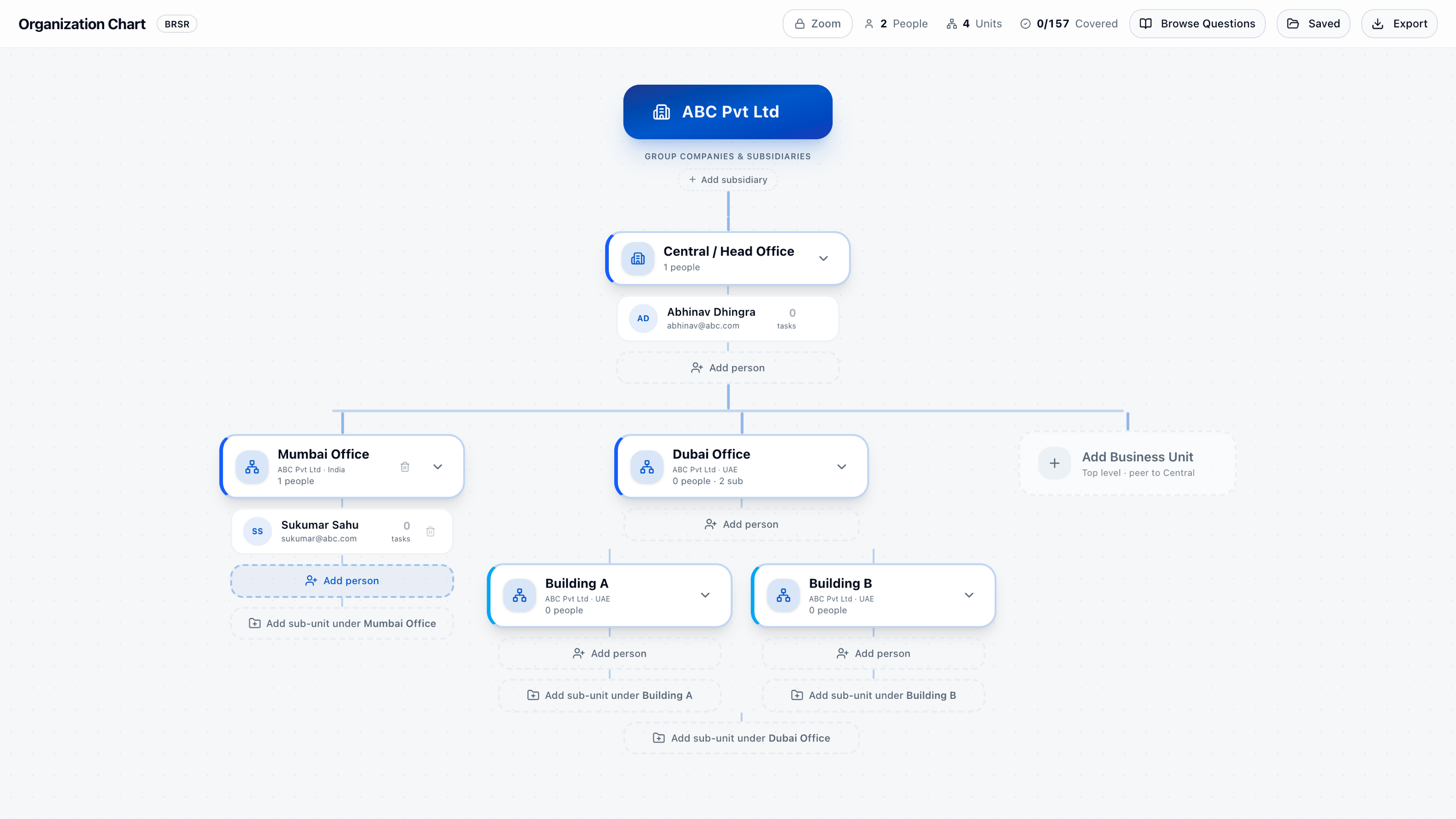
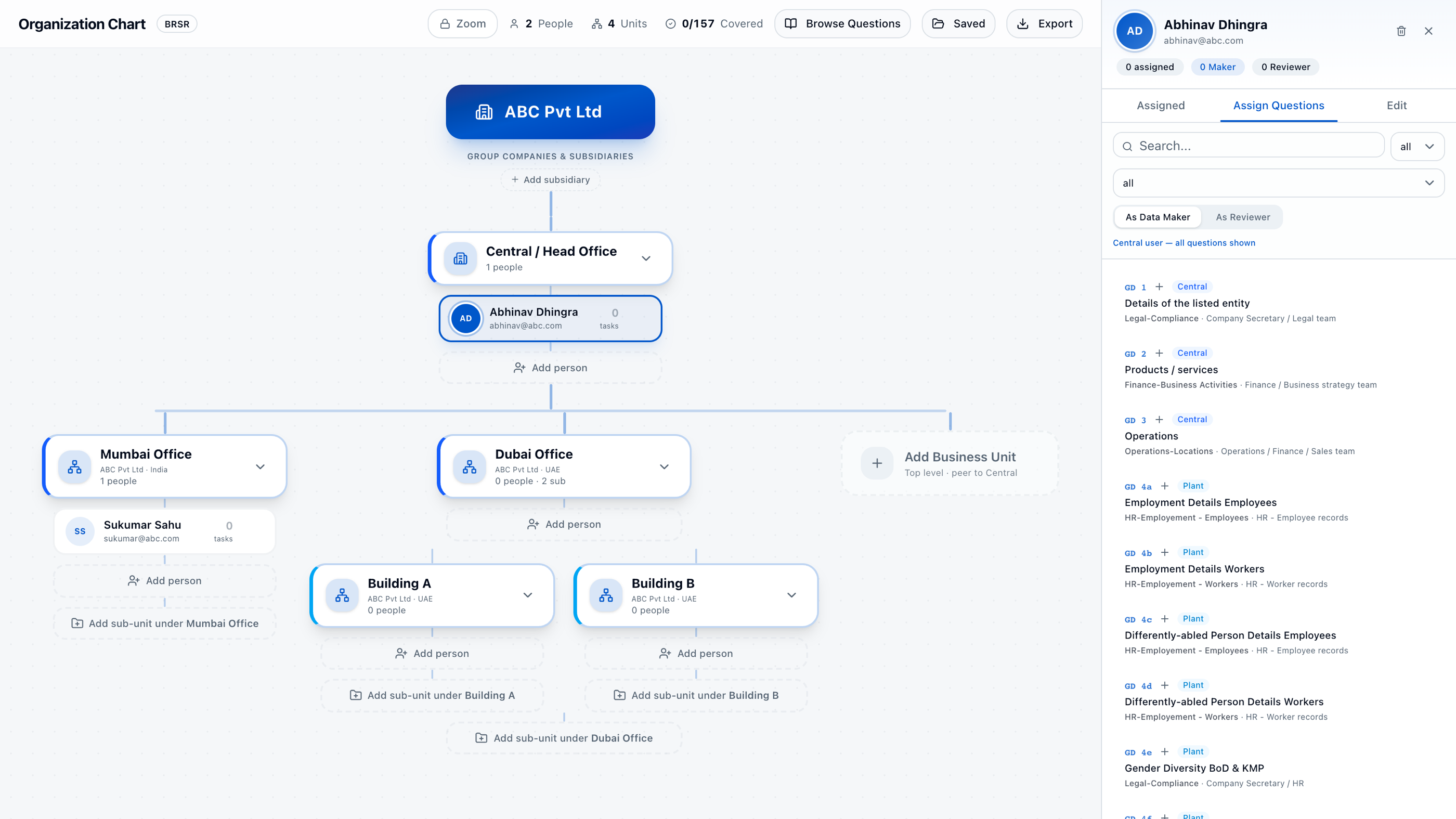
Structure changes when the company reorganises, once or twice a year. Assignment happens every reporting cycle. On one canvas the rare job gates the frequent one.
You cannot assign a question to a person who does not exist. On day one the organisation is empty, so half the screen is offering work nobody is able to do yet.
Anita belongs to Europe Operations, Singapore Office and São Paulo at the same time, and the product is built to hold that. A chart either draws her three times, and is wrong about how many people you have, or once, and is wrong about her.
I kept the idea underneath: every person belongs to a unit, and accountability traces through that. The department taxonomy came across intact. I unbundled the composition, not the thinking.
Four positions
To understand the structure and change the right person or unit. The three failures became the three things the screen now does.
The chart, as handed. They had already invested, so this was a real disagreement. I did not argue taste. I explained what happens to the chart when assignment lands on every row: it becomes a control panel and loses the at-a-glance quality that made them want it. We kept the chart, moved assignment out, and agreed to revisit when the backend could support it.
Simpler, sooner. One job done properly, the rest signposted rather than half-built.
Buildable inside the constraints below. I checked every mutation before drawing against it.
The constraints
Enough for one job done properly.
Everything had to run on mutations that already existed.
The production funnel, the customers already stuck in it, and the codebase. I set the baseline before drawing anything.
So I built the job that was in the way: getting people into the platform.
02 · The evidence
The interface made a structured organisation behave like a collection of disconnected records.
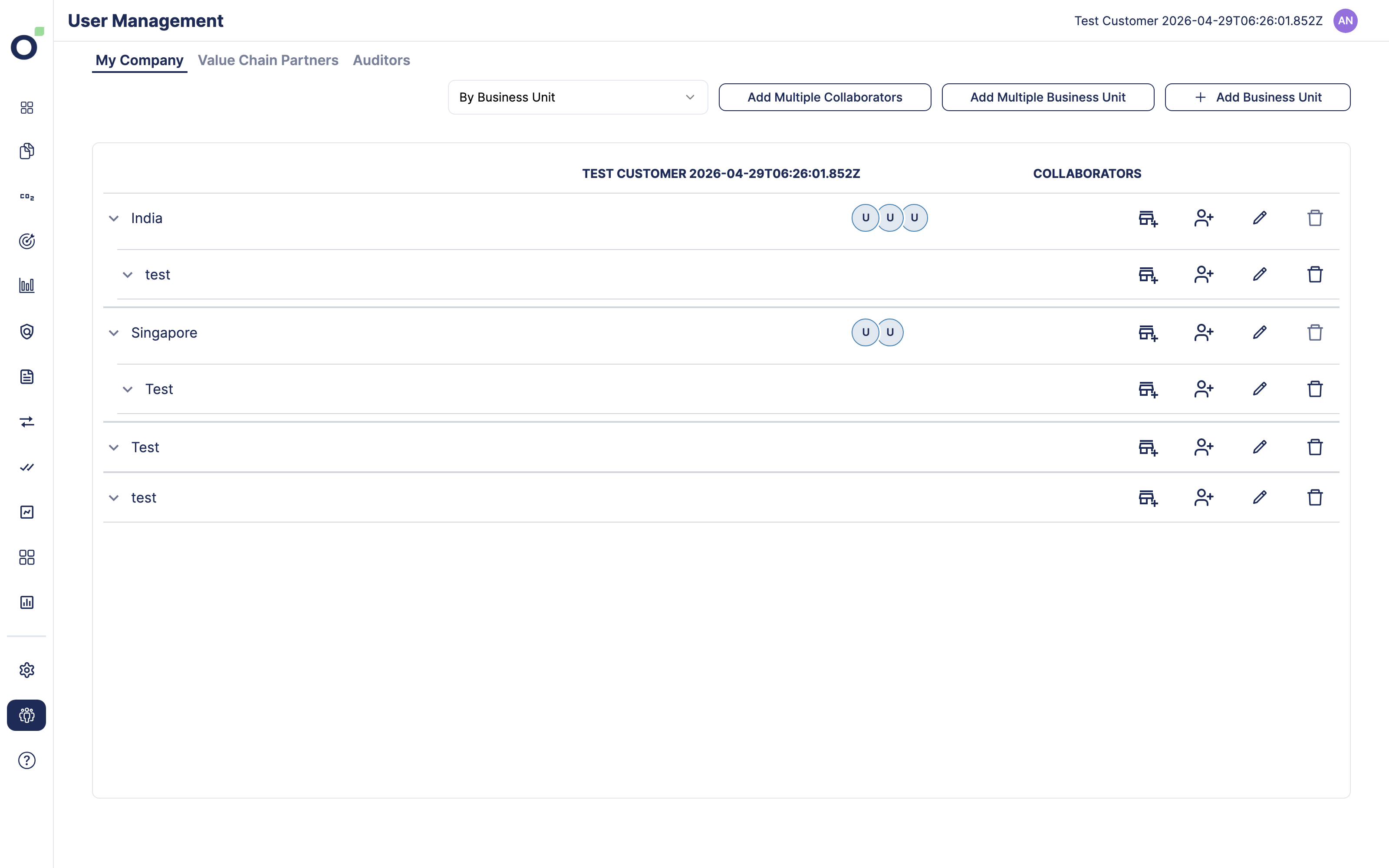
Flat lists hid which units sat inside which.
Make hierarchy spatial.
A vertical tree with visible nesting.
Forms discarded the unit a person was being added to.
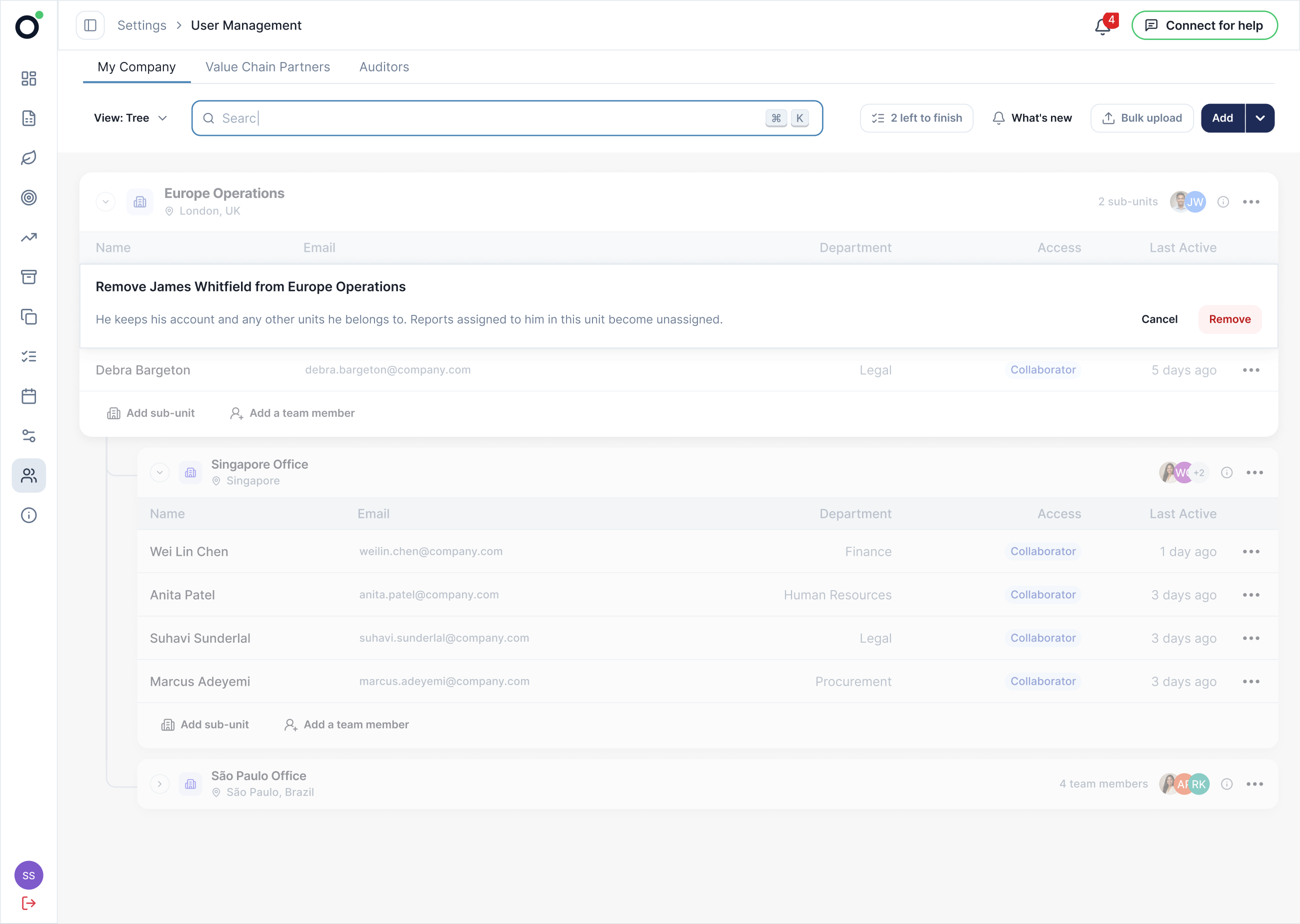
Keep changes in context.
Inline actions attached to the relevant unit row.
One person could hold memberships in several units.
Separate membership from hierarchy.
Multi-unit indicators and a dedicated view.
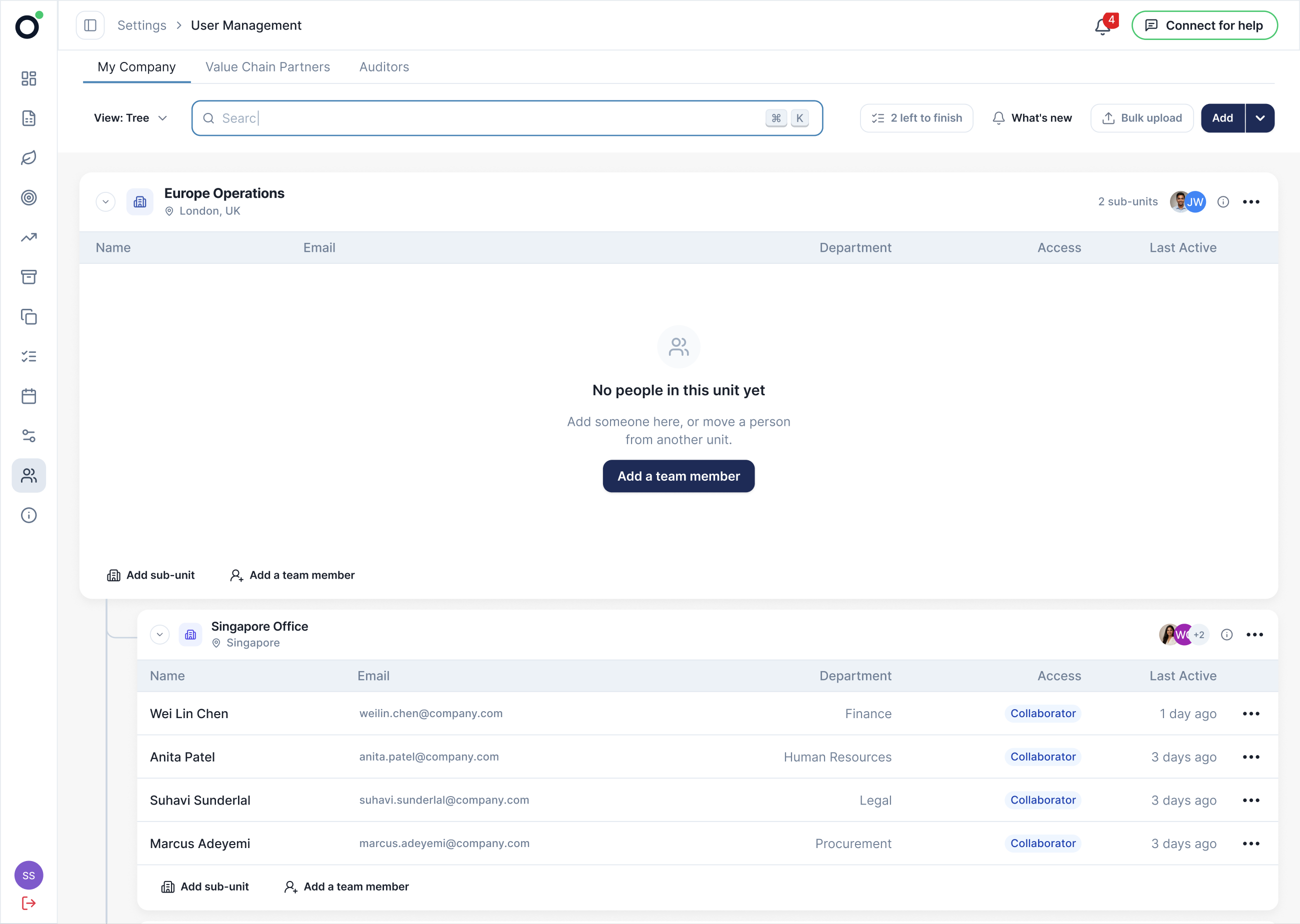
A new organisation began with an empty surface.
Lower the cost of the first move.
Manual entry and bulk upload as parallel starting paths.
Returning users needed to locate a person before acting.
Add a direct retrieval path.
Search that filters the tree around the match.
The question I designed against
How might we let a CSO see their organisation’s shape and manage a person without losing the context of the unit they are acting on?
03 · The design
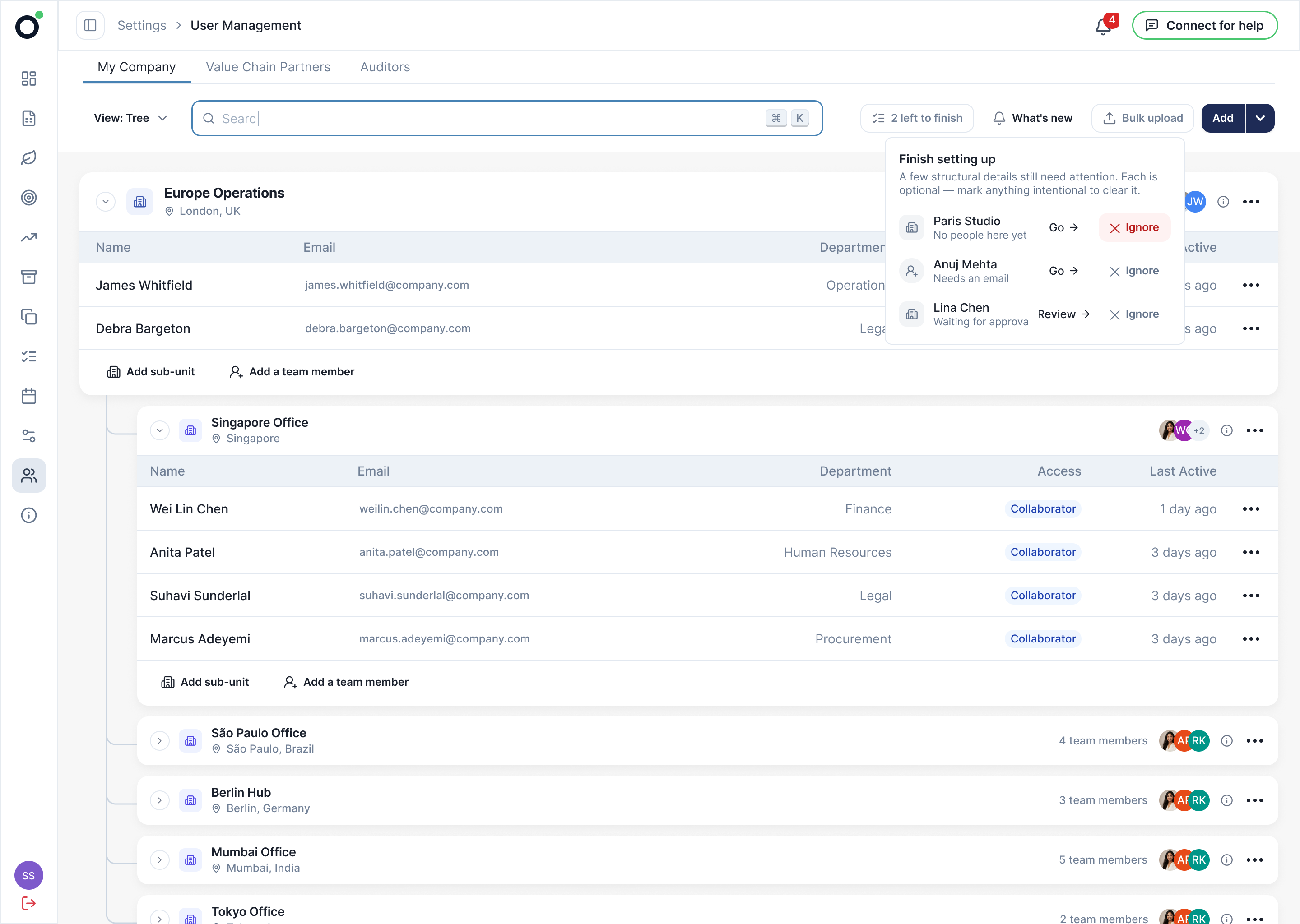
One tree, built in place. Every element answers a question the evidence showed people asking, and each runs on an endpoint that already existed.
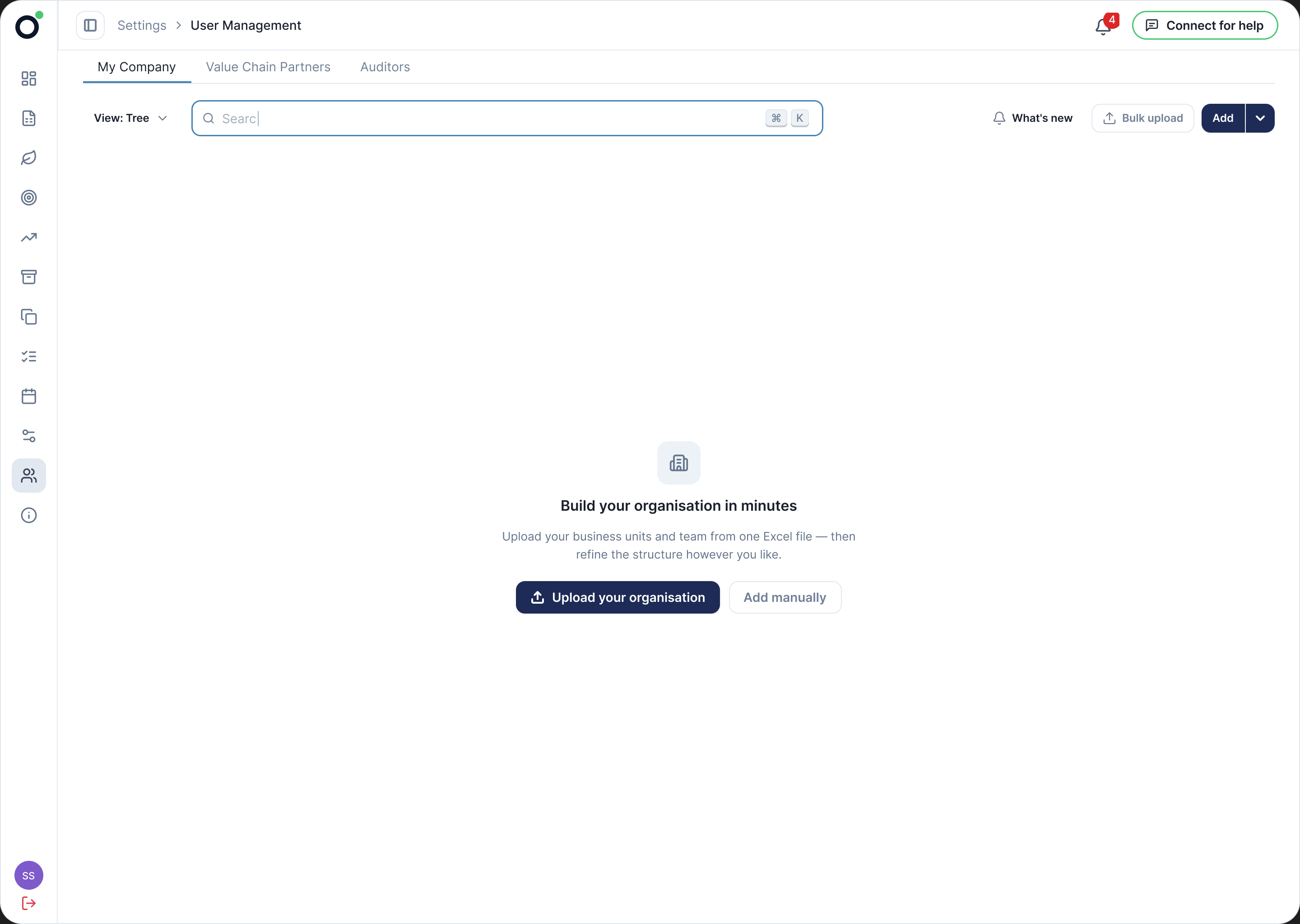
Two ways in, neither an empty form. Import the spreadsheet the company already keeps, or add one person and see where they land.
04 · Start from the data the customer already keeps
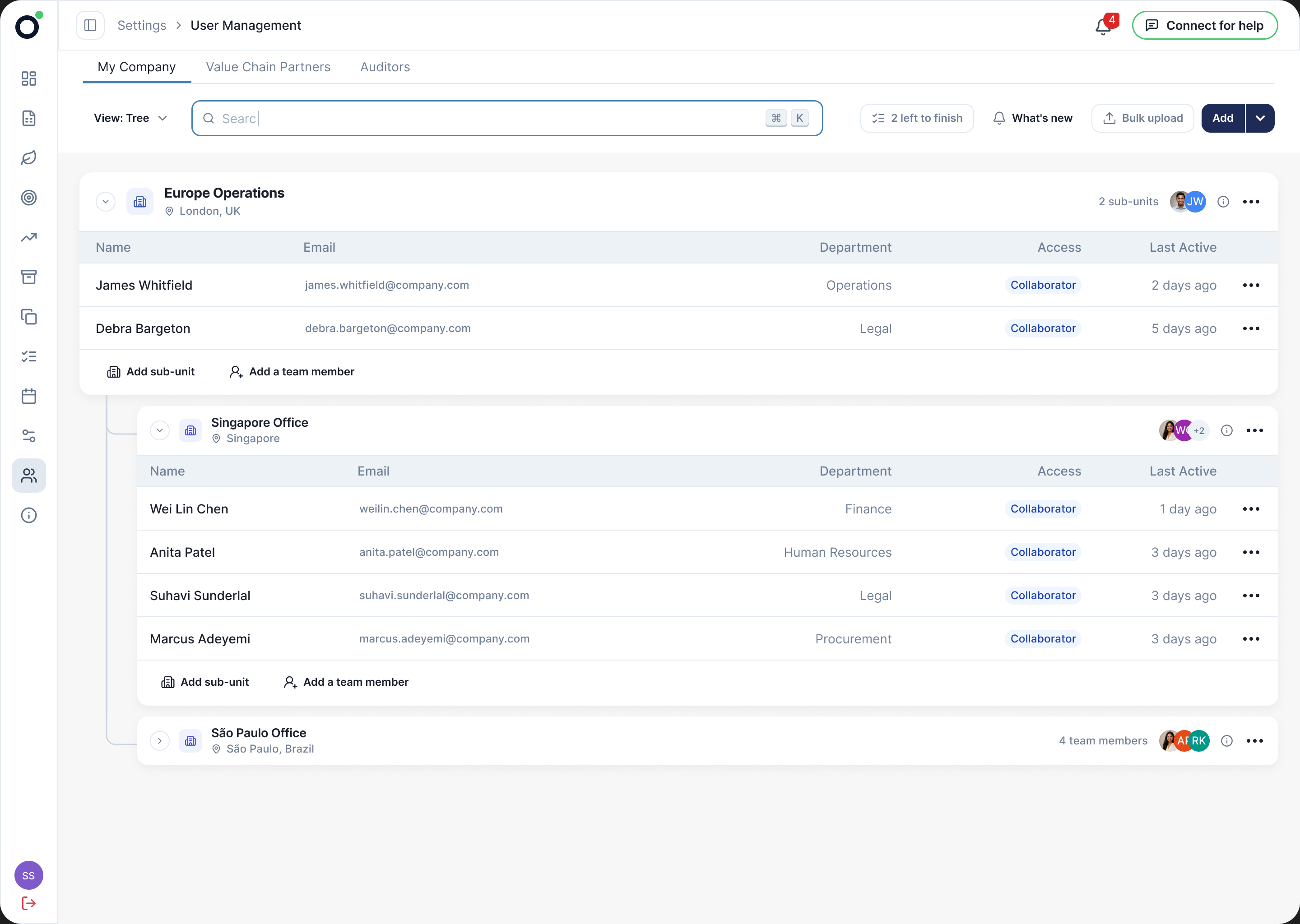
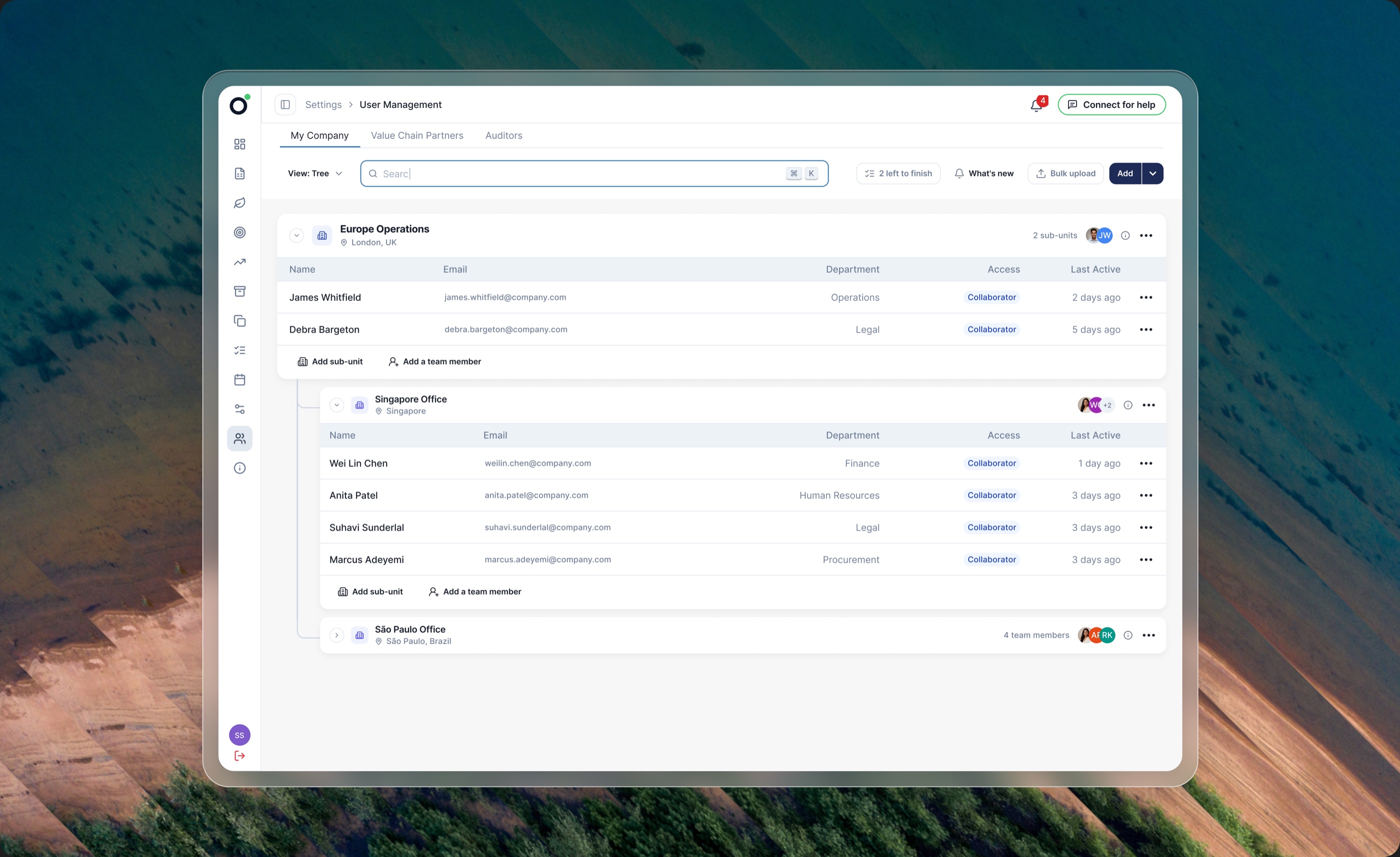
A vertical tree carries nesting the way an accordion cannot. Which unit reports into which, and who sits in each, without opening anything.
01 · Structure should be readable, not reconstructed
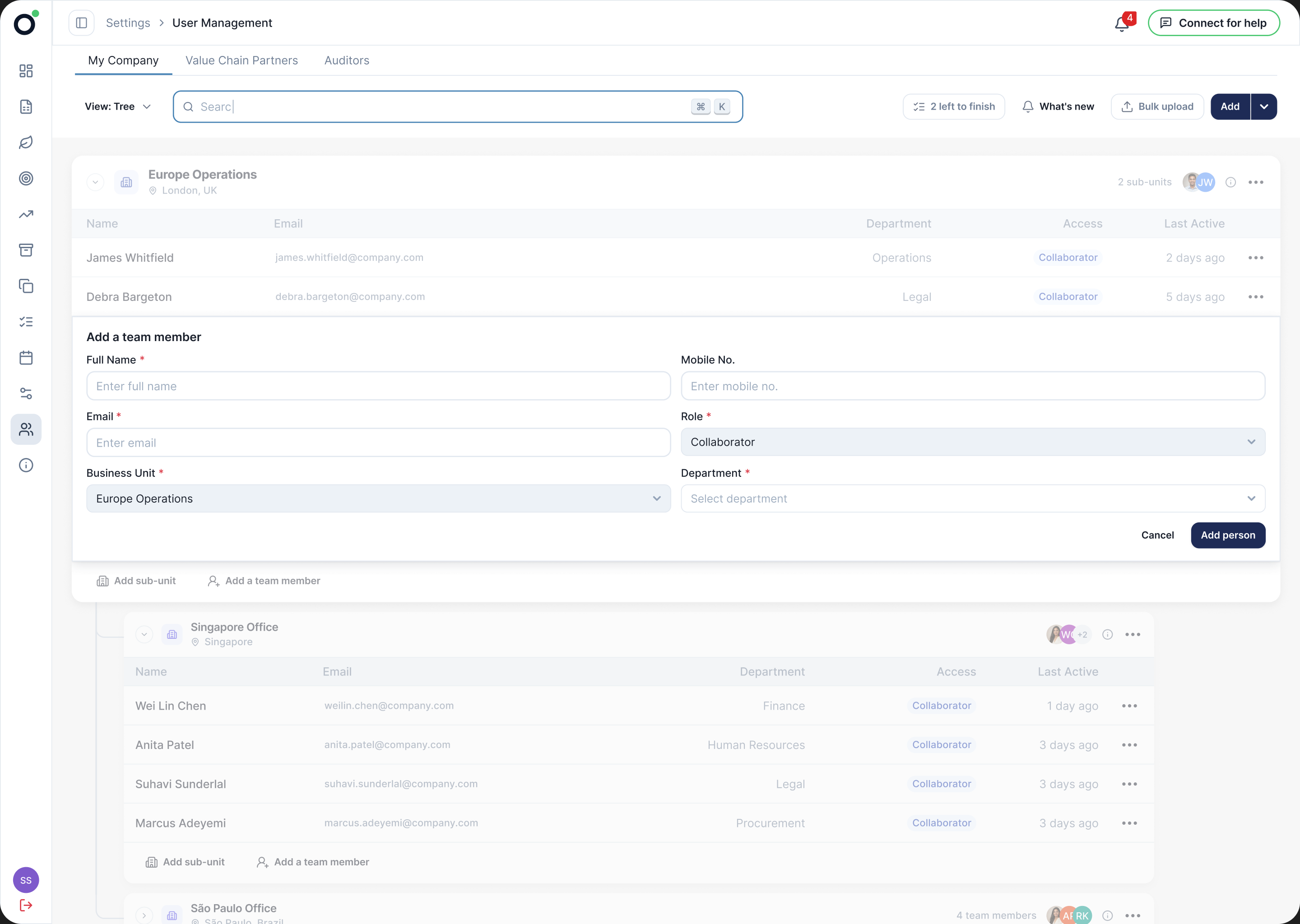
The row expands where it sits. The form names the unit the person joins, and the rows around it stay in view.
02 · Setup is a flow, and every modal is a full stop
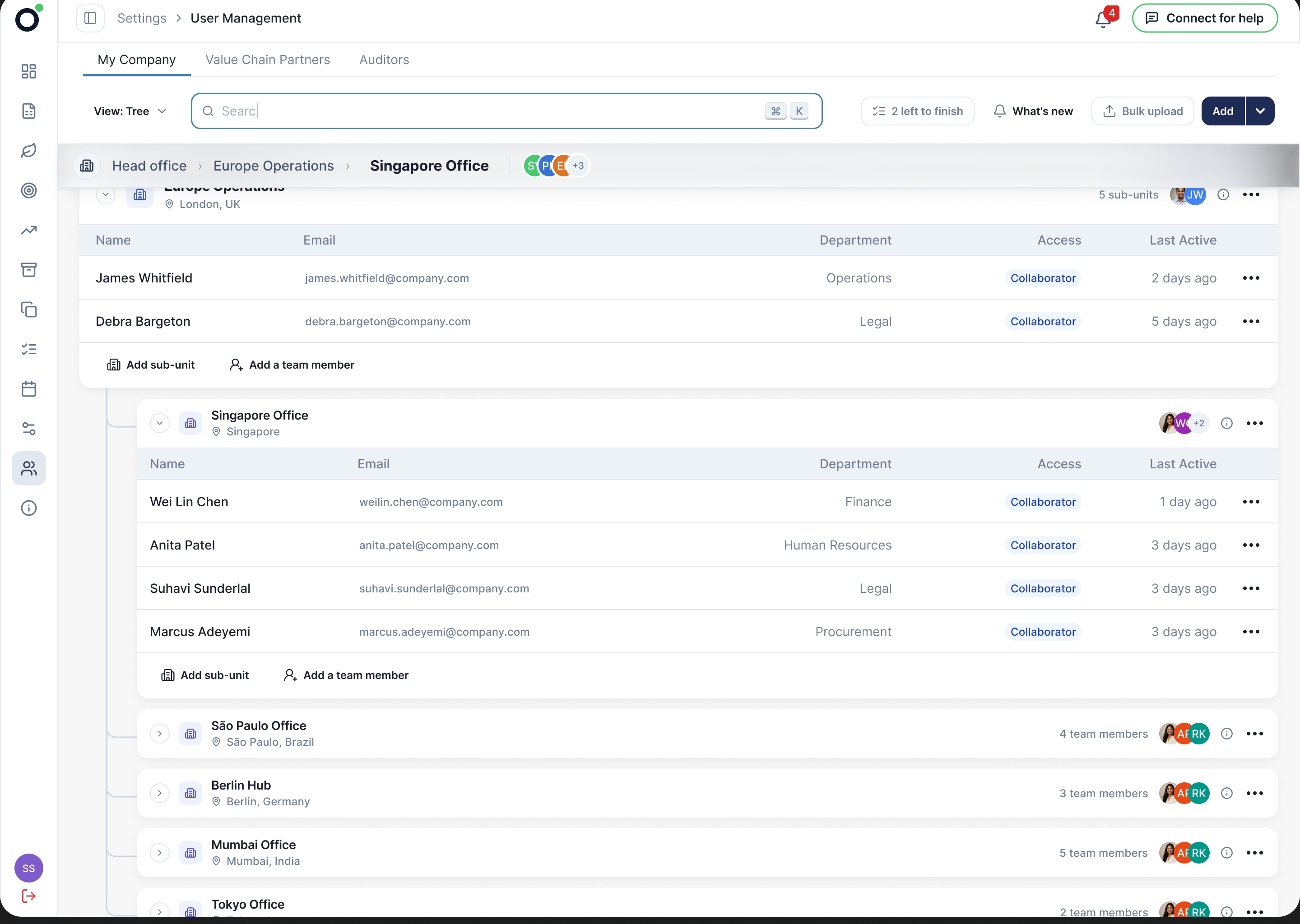
A persistent bar holds the current unit and its path, and opening one unit collapses its siblings.
01 · Structure should be readable, not reconstructed
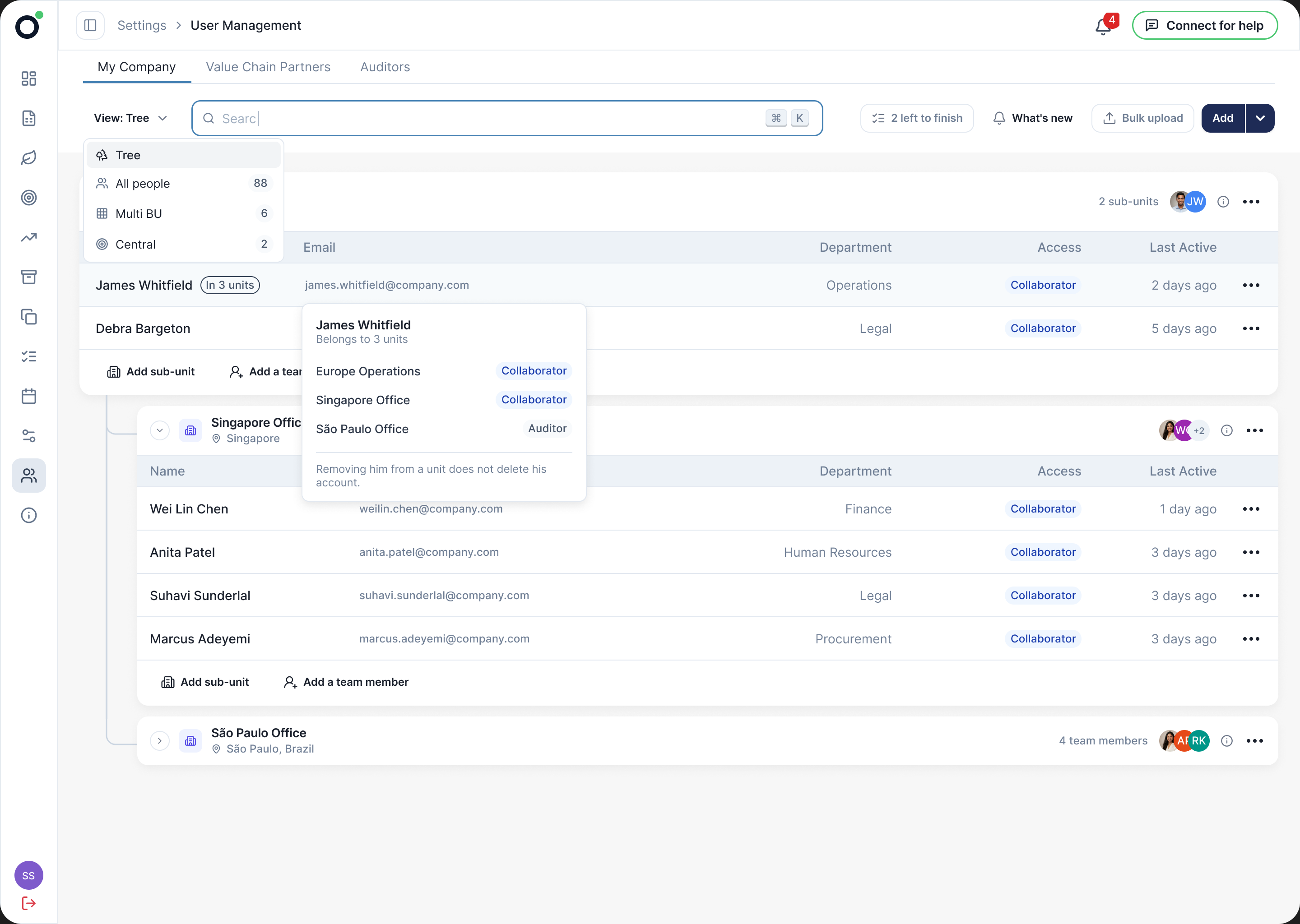
A tag marks anyone in more than one unit, and the view switches between the tree, all people, multi-unit and central. Central is where the sustainability team finally has somewhere to be.
03 · Design for the returning user
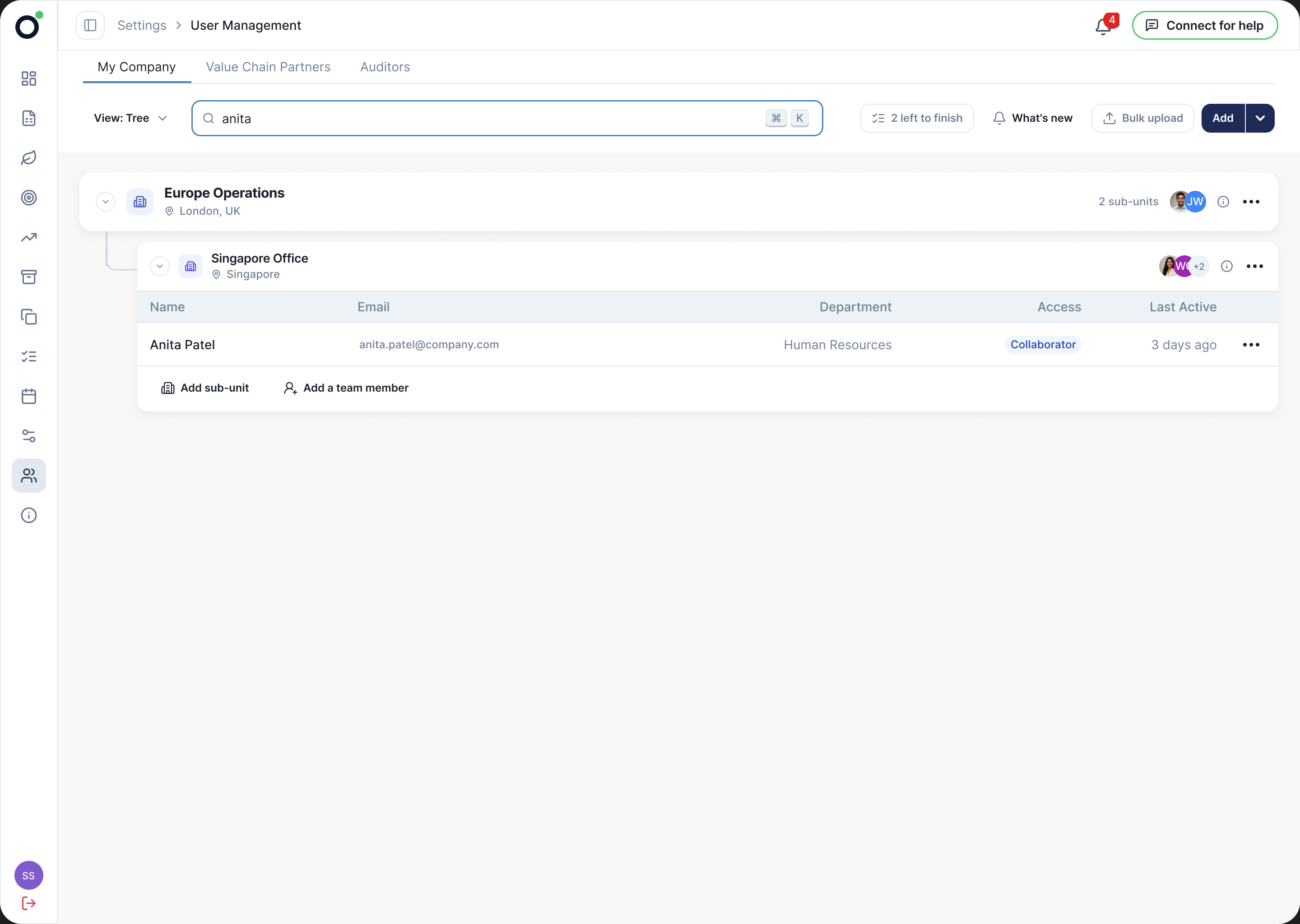
Search opens the branch around the match, so a result arrives in its place.
Every other state
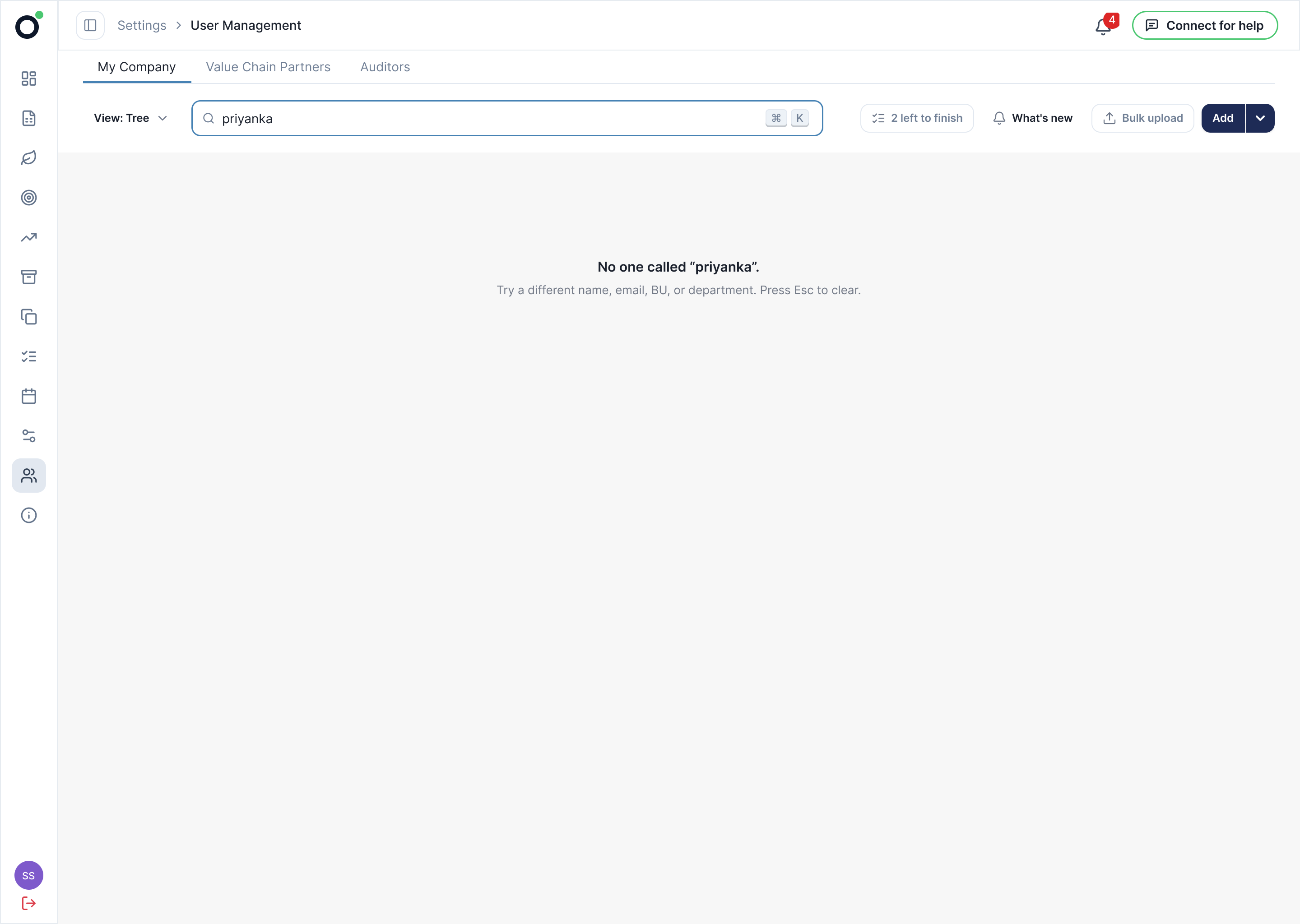
04 · What shipped
It went live on 21 July. I assessed the release against the three original user goals.
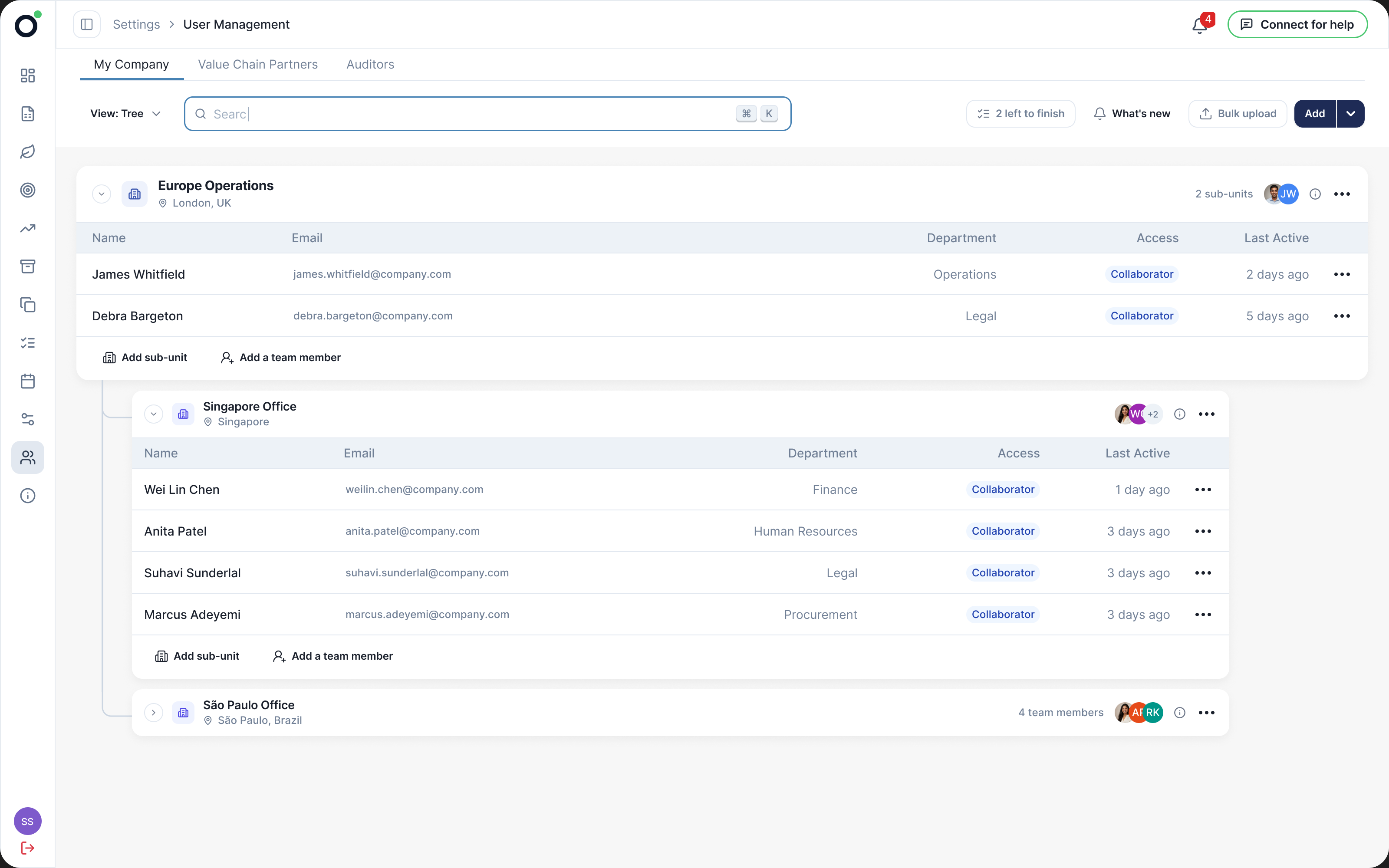
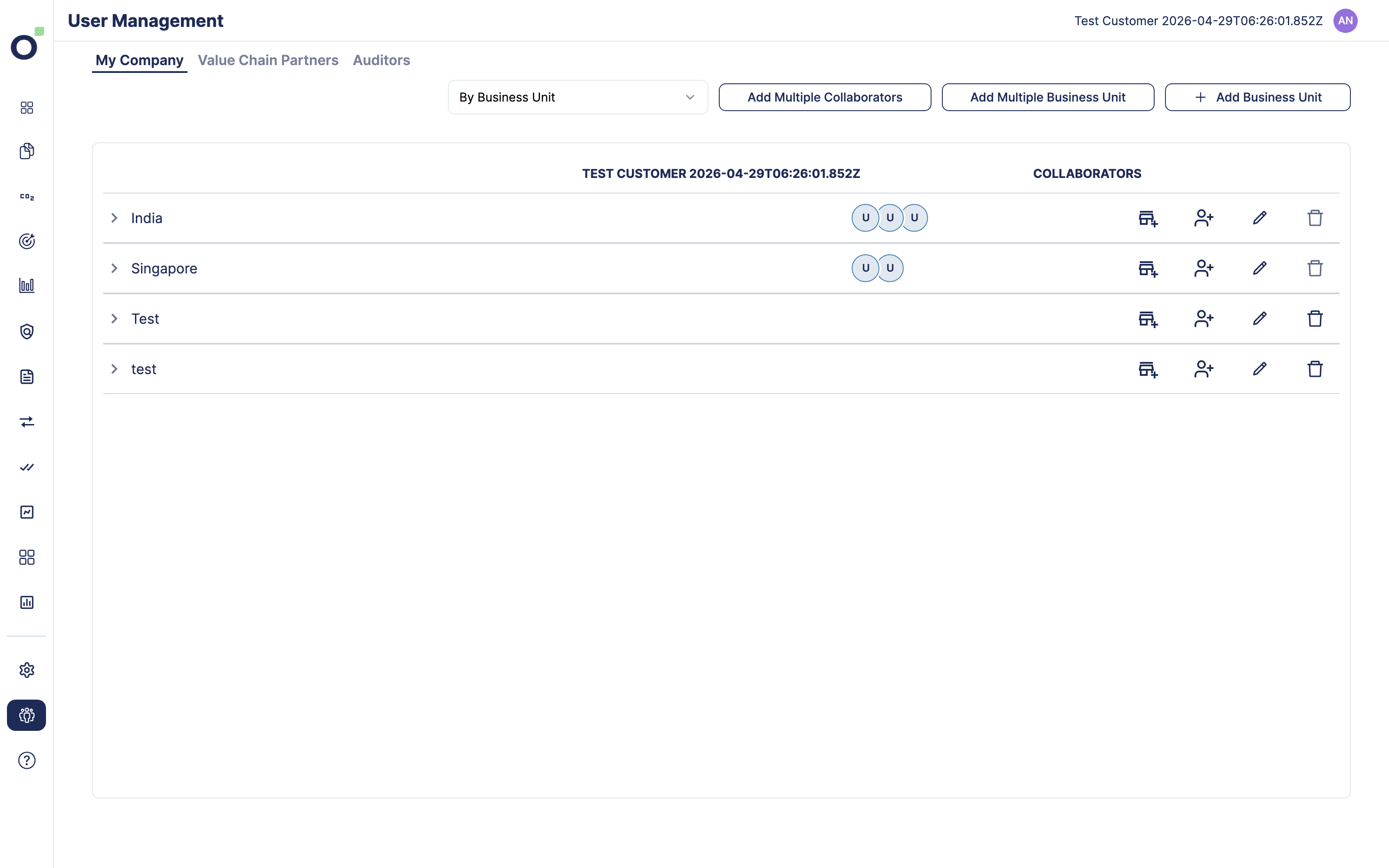
Structure. Indentation shows which unit sits inside which.
Action. Create and edit stay beside the unit they affect.
Membership. Multiple-unit indicators preserve the relationship between one person and several teams.
The client action funnel
Ten page visitors did not interact with the tree. They may have used another tab or left; tracking cannot distinguish those paths. Source: PostHog OC-2, client users, 21 July–20 September 2026.
Hierarchy shipped
The tree was used, but interaction alone cannot establish whether people understood the hierarchy. The next test should ask them to identify real relationships.
Test whether people can identify a unit’s parent and a person’s memberships without help.
Contextual actions shipped
The measured path continued from starting an action to clicking submit. This supports use of the new controls; it does not establish a successful save or less effort.
Track confirmed saves and failures, then compare the same tasks before claiming less effort.
Next pass in build
Search shipped with results in their branch. My August analysis then identified reporting as the strongest navigation context, prompting a second pass with actions directly in search results.
Let people act from search results, then measure whether they finish the change and return to their report.
Post-launch funnel: 24 client users across 20 organisations, 21 July–20 September 2026. Submit clicks were recorded, not confirmed saves; users could both cancel and submit. The sample does not establish time saved or improved task success.
Supporting evidence
The tree in everyday use
35 usersMade 260 interactions with the new tree in August, while the legacy surface recorded none.
Production activity, including internal users.Beyond the first visit
16 of 24Client users returned on another day after launch, across the page’s management tabs.
21 July–20 September · Client-only cohort.A foundation for follow-on work
The 25 June plan for invited-versus-joined status and resend invites explicitly described the work as built on this org tree (OSH-5998). That documents reuse of the structure; it does not establish the later feature’s release or impact.
The new tree reached 35 distinct users in August; the legacy surface recorded no interactions that month. These counts show replacement, not improved usability.
Repeat visits: 16 of 24 client users returned on another day after launch, compared with 16 of 29 before (OC-5, matched 62-day windows). The count stayed at 16; this is evidence of repeated use, not an increase in returning users.
Median start-to-submit time was 22 seconds across 63 sessions, including internal traffic (OC-4). With no comparable pre-release timing, this is a baseline for the next iteration, not a speed improvement.
05 · What the release taught me
My August analysis recorded 823 arrivals from Reports and 1,054 returns to it. Together with the report’s missing create-person action, this suggested a recurring job: fix the organisation, then continue reporting.
The next opportunity was in the journey around this screen. I read the navigation data alongside the reporting code to understand why people kept moving between the two.
Navigation counts come from my 13 August analysis, separately from the 24-user post-launch cohort. Pageview tracking misses hard loads; navigation alone does not establish intent.
What the behaviour turned out to be
Reports was the leading recorded entry and exit. The surrounding journey mattered as much as the organisation screen itself.
When a person or unit is missing, the reporter has to leave the report, create or correct it here, then return.
What the screen actually is
The next design needed to connect finding a person with making the change.
The correction
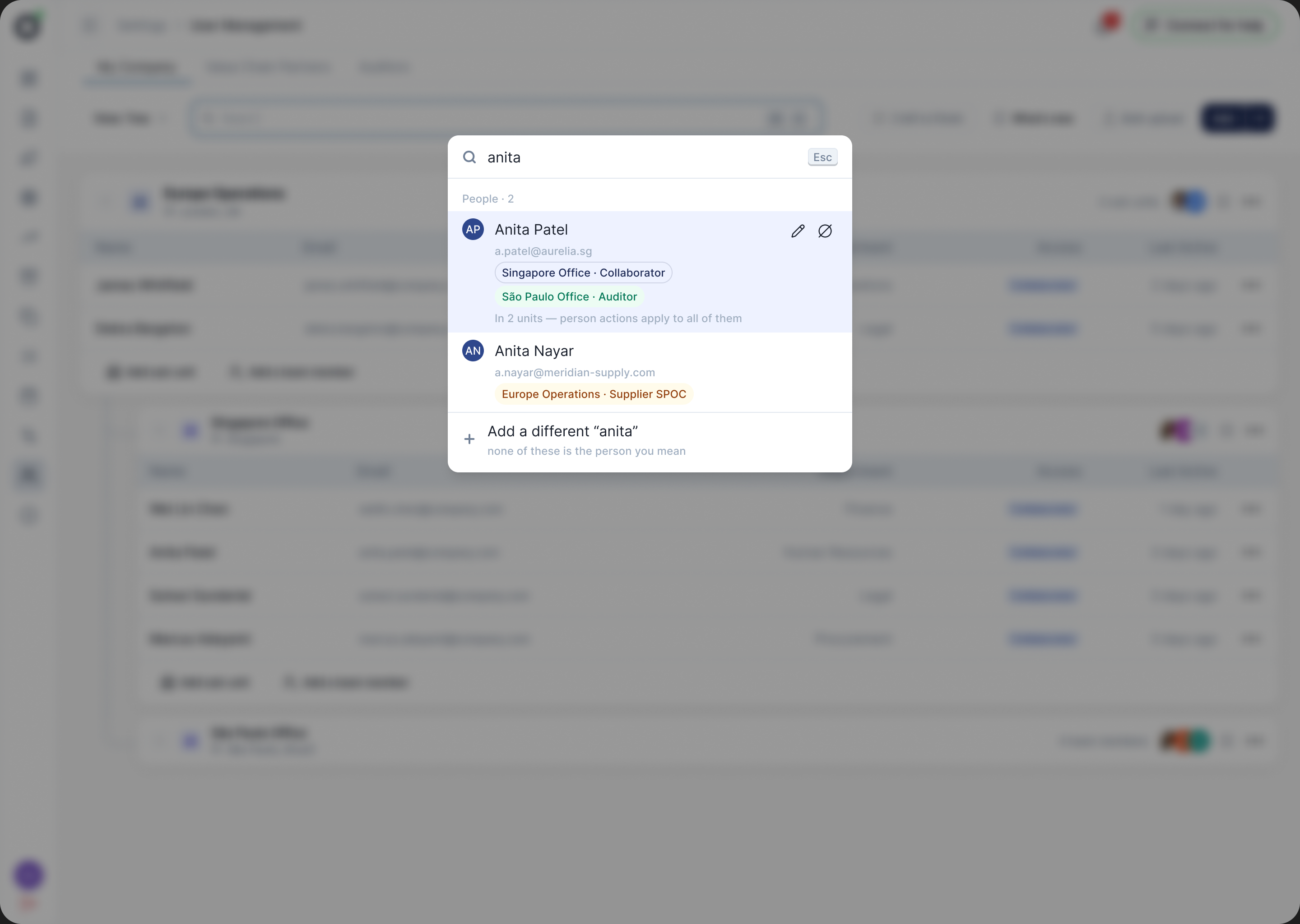
I had designed search as a way to locate someone. Reading the reporting code alongside the navigation data revealed a missing connection: when the person was absent from the report’s picker, the user had to create them elsewhere. Finding, making the change, and returning to the report needed to work as one task. That changed the second pass from a better lookup into search with actions.
What I am building now
One change carries it.
In development · not shipped or measured yet.
The one change that carries it
The result carries the person, every unit they belong to, and the thing you came to do, so finding and acting stop being two trips.
In hindsight
Before launch, I requested completion timing and drop-off tracking on 26 June, then returning-user segmentation on 1 July. Only the return-use insight landed. Next time I would verify the measurement in the release checklist, and evaluate the complete task: find the person, make the change, resume reporting.
If someone leaves a report to add a collaborator, the strongest version of this screen is one they never open. That needs an entry point on the report able to hand over and restore context, which is backend work the no-new-endpoints constraint ruled out.