Add the right data
Keep the category, template and upload together.
I led the design and contributed frontend implementation for Oren’s new Scope 3 data workflow. It connected category-based upload, failed-row correction and available calculation detail in one production path.
The result in sixty seconds
Matched 130-day windows around the 14 May 2026 release show a clear change in behaviour. The strongest evidence belongs to bringing data in; recovery and explanation have narrower proof.
Route visits and interactions were measured. Successful processing, resolved errors and calculation comprehension were not. See each goal against its evidence →
01 · Who it’s for
They bring together business data from spreadsheets, fix errors and explain the numbers in their report. They need to see which files are ready and which still need attention.
Scope 3, in plain terms: emissions across a company’s wider value chain, including the goods it buys, their transport and the use of products it sells.
02 · The design brief
Four needs shaped the design. Teams had to bring data in, fix it and understand the result without losing their place.
Keep the category, template and upload together.
Edit failed cells in a spreadsheet. Save the fixes together.
Show upload status and a clear retry action.
Connect the total to its records and method names.
Designed for bulk Excel or API data, with a requirement of up to 10 million rows. Background processing status and full calculation history did not ship.
03 · The journey
I reviewed the brief and calculation logic, then worked through the upload and reporting flows. The difficult joins were returning to files, fixing part of a dataset and handling dependent uploads. Each needed a clear next action.
Choose category Get template
What does this category need?
Keep category guidance and the correct template together.
Upload file Correct failed cells
Which data worked, and what needs fixing?
Separate processed rows from errors; correct and save without leaving the file.
Review health Inspect calculation
Can I account for this number?
Connect the category total to groups, items and available method detail.
04 · The design
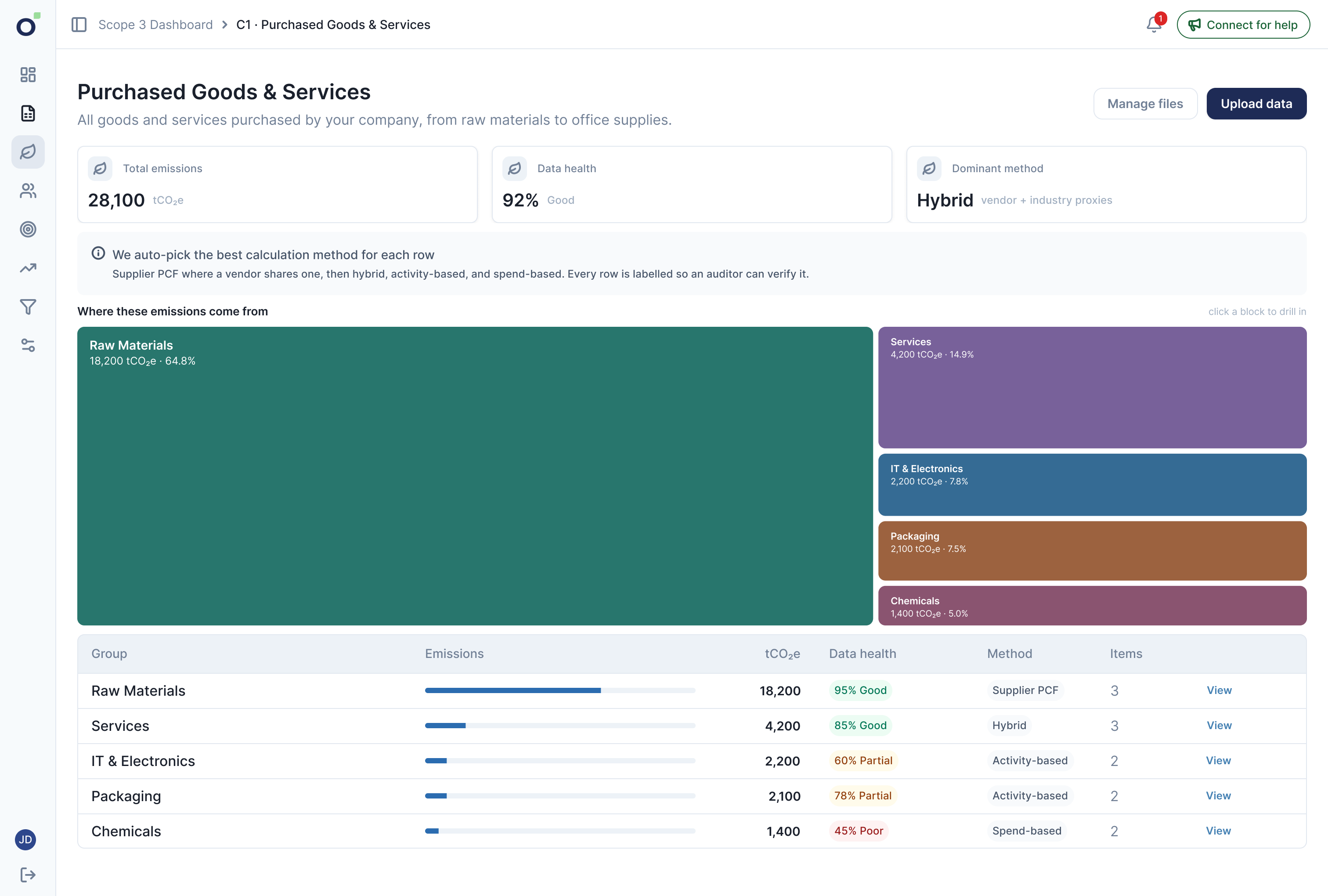
Keep the category, template and file status in view. Do not make people remember where their data belongs.
Protect valid data, explain failed cells and make it safe to leave with unsaved changes.
Start with the overview. Reveal groups, source data and calculation detail as the user goes deeper.
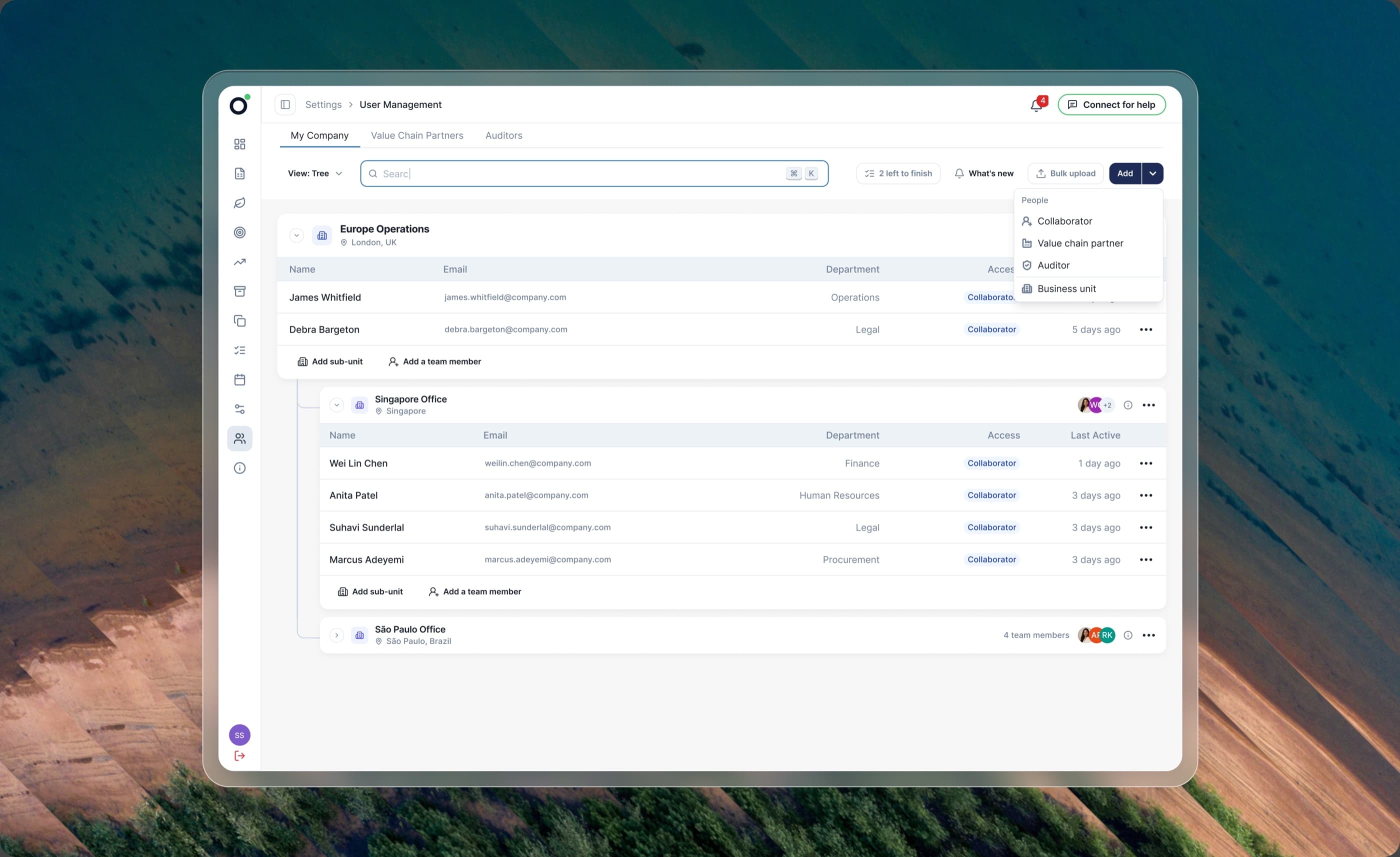
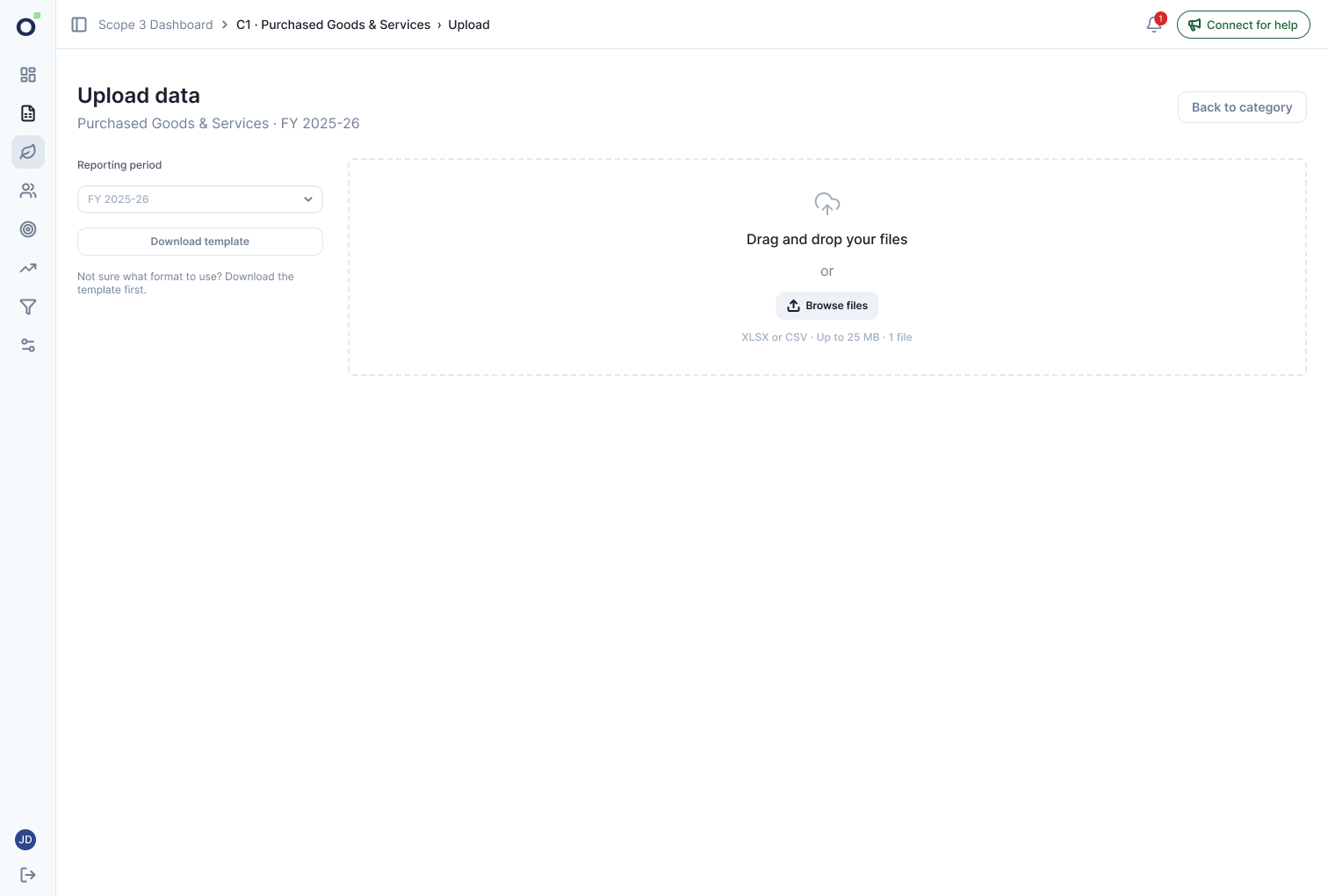
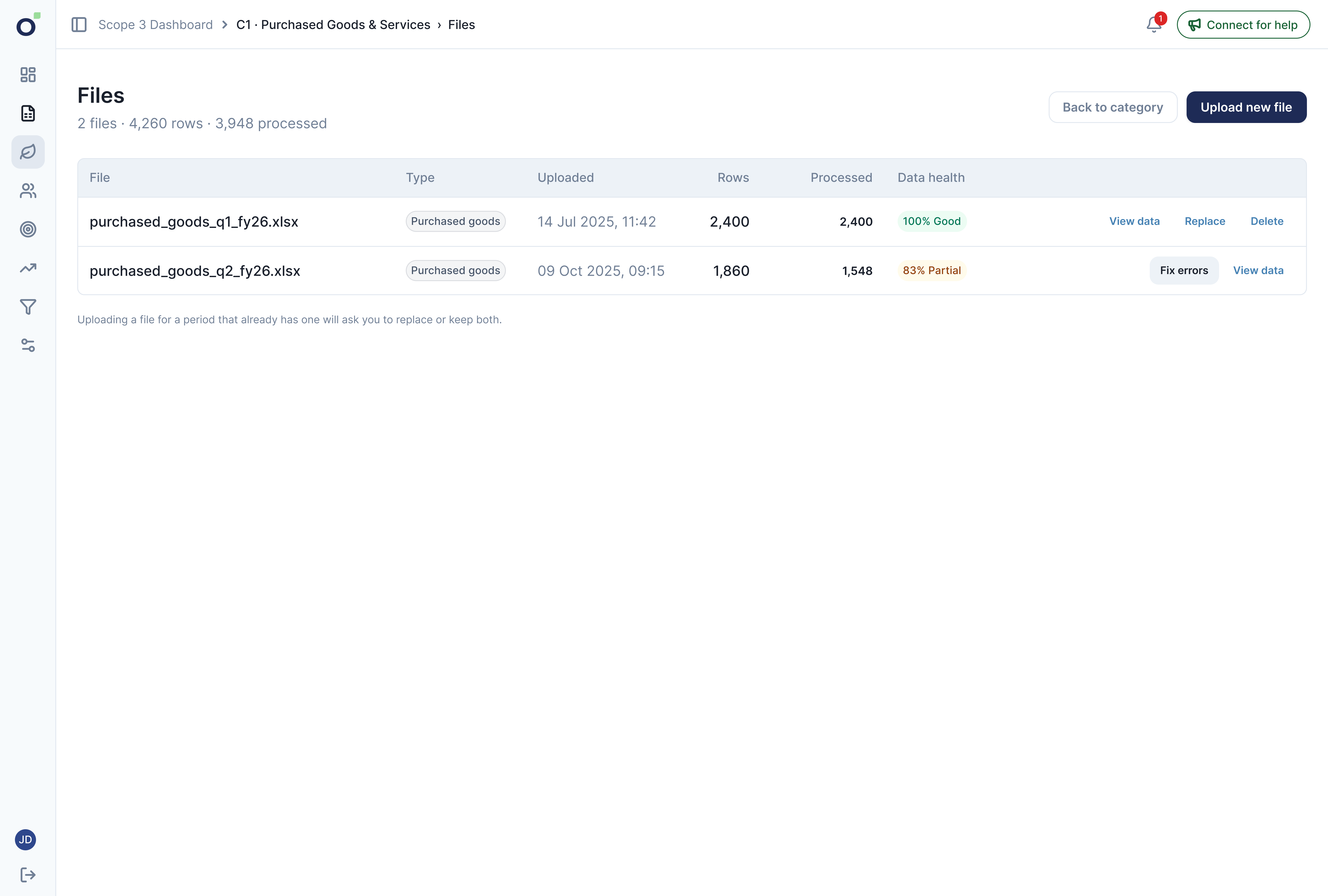
I kept upload and file management attached to the selected category. The upload action opens a dedicated view with that category already selected. Users can get its template, add a file and return to their files without choosing the category again.
Transport needed an exception: trade flows must arrive before shipments. I kept the same upload and correction pattern, adding the dependency rather than another workflow to learn.
Keep context attached to the work.
Establish the IDs that shipments refer to.
Unlock after trade flows are available.
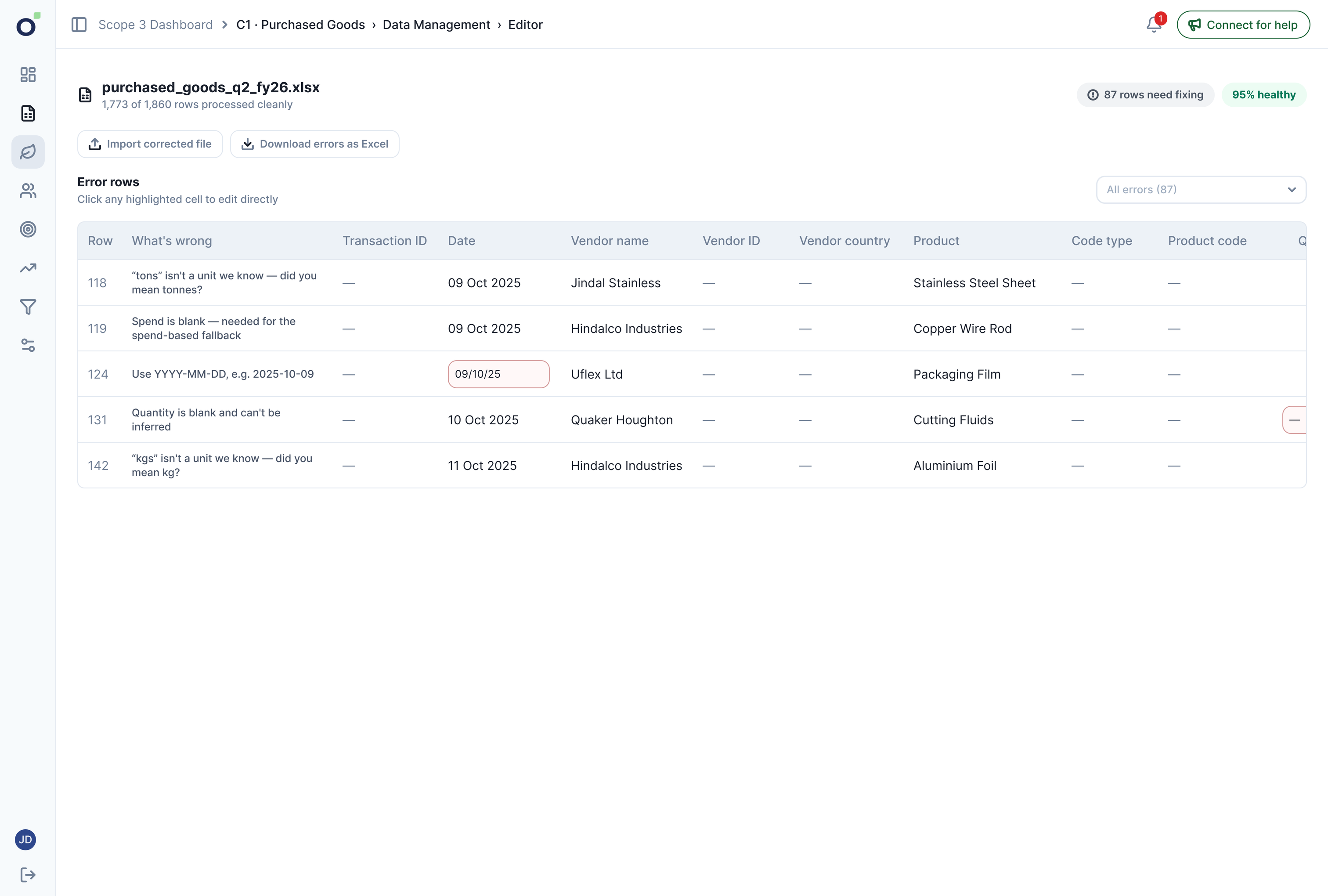
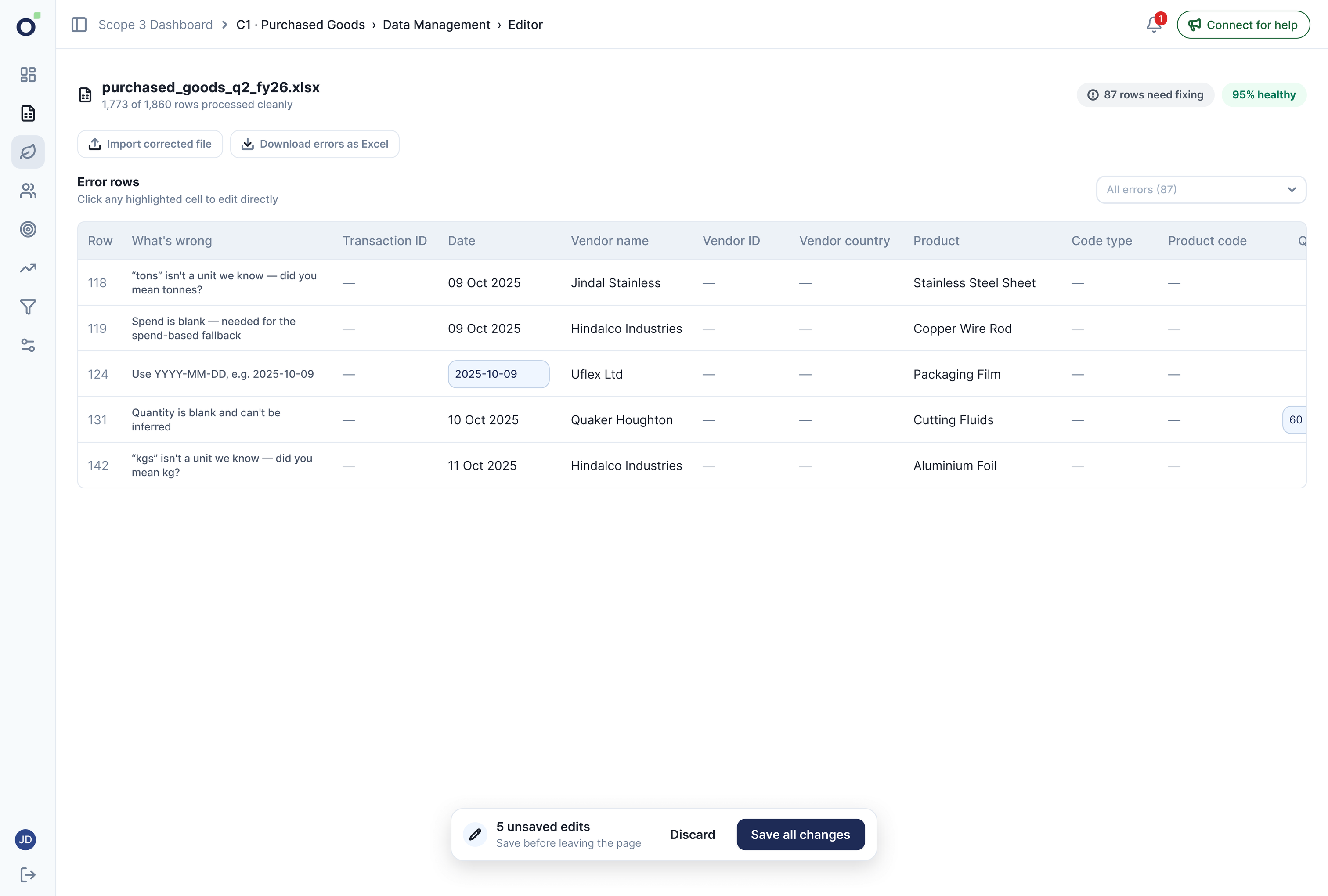
A file can contain both useful data and invalid rows. The editor shows failed rows only, protects clean cells and explains each error in place. A summary accounts for processed rows, so they do not seem lost.
Per-row saving would add repeated waits at scale. I used one batch Save action and unsaved-change protection. Offline corrections remained an option, returning to the same editor.
Preserve good data; focus attention on what needs repair.
Only failed rows appear in the editor. Valid data stays protected.
Open full-size screen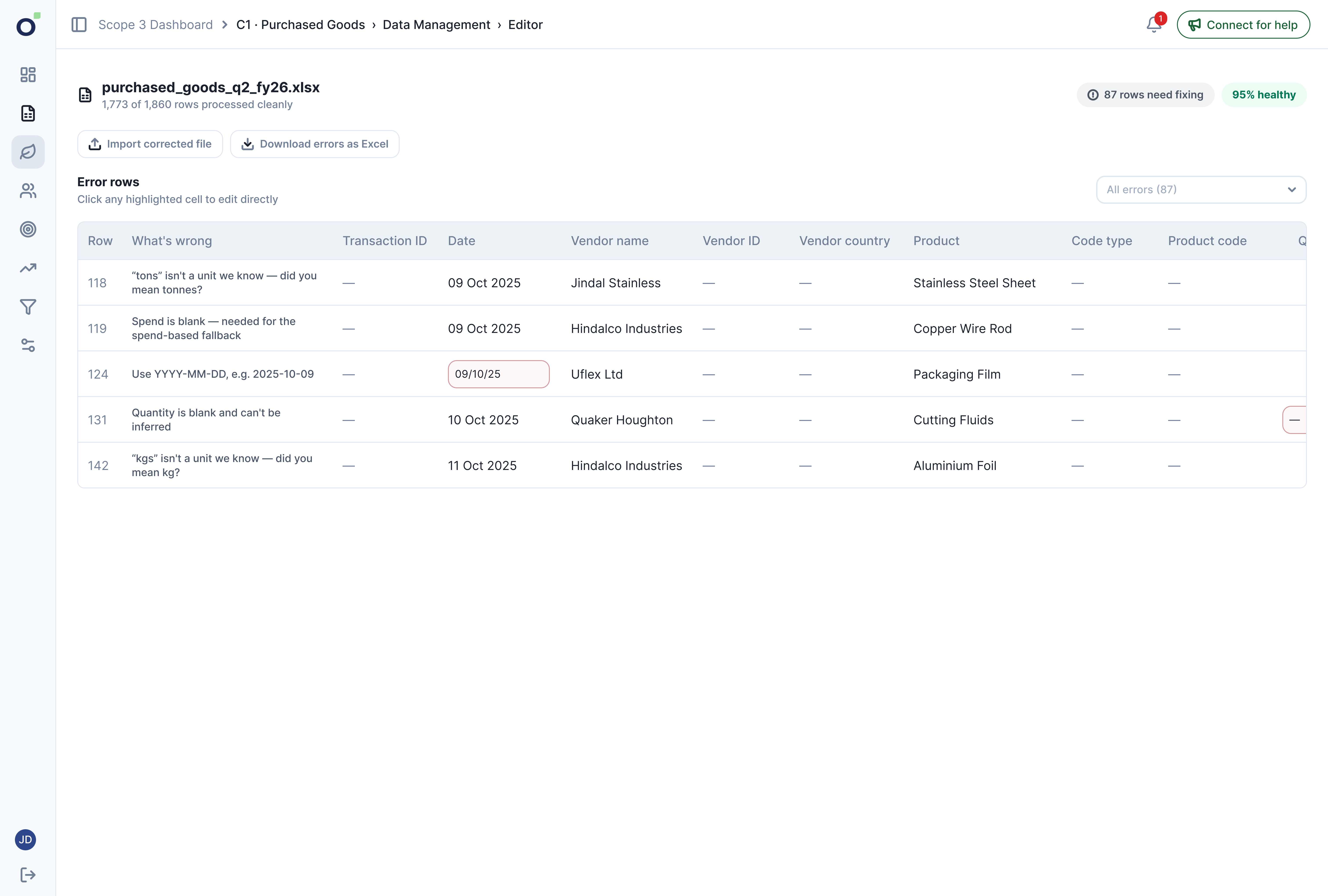
Edit several cells, then use one Save action. The floating bar keeps pending changes visible.
Open full-size screen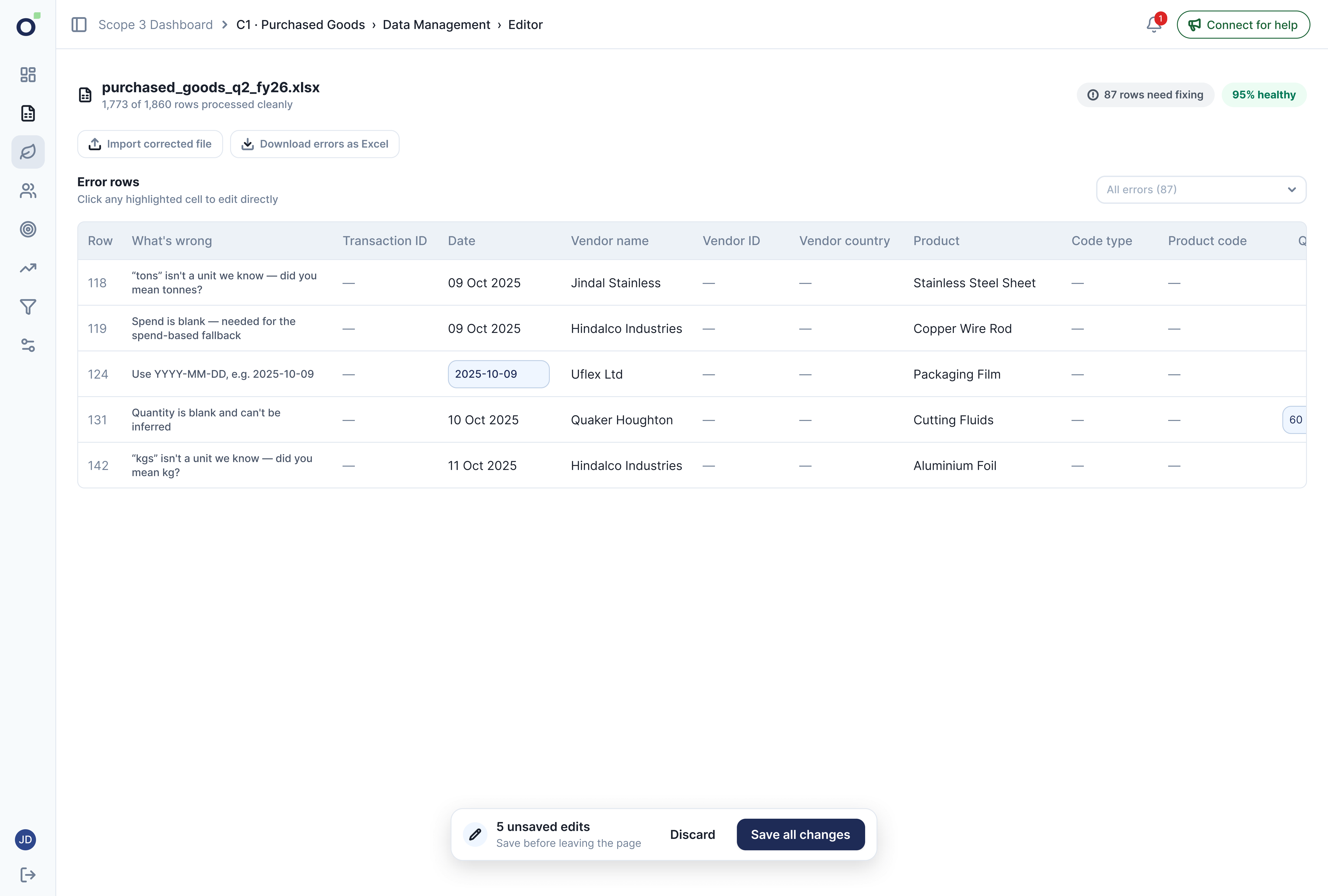
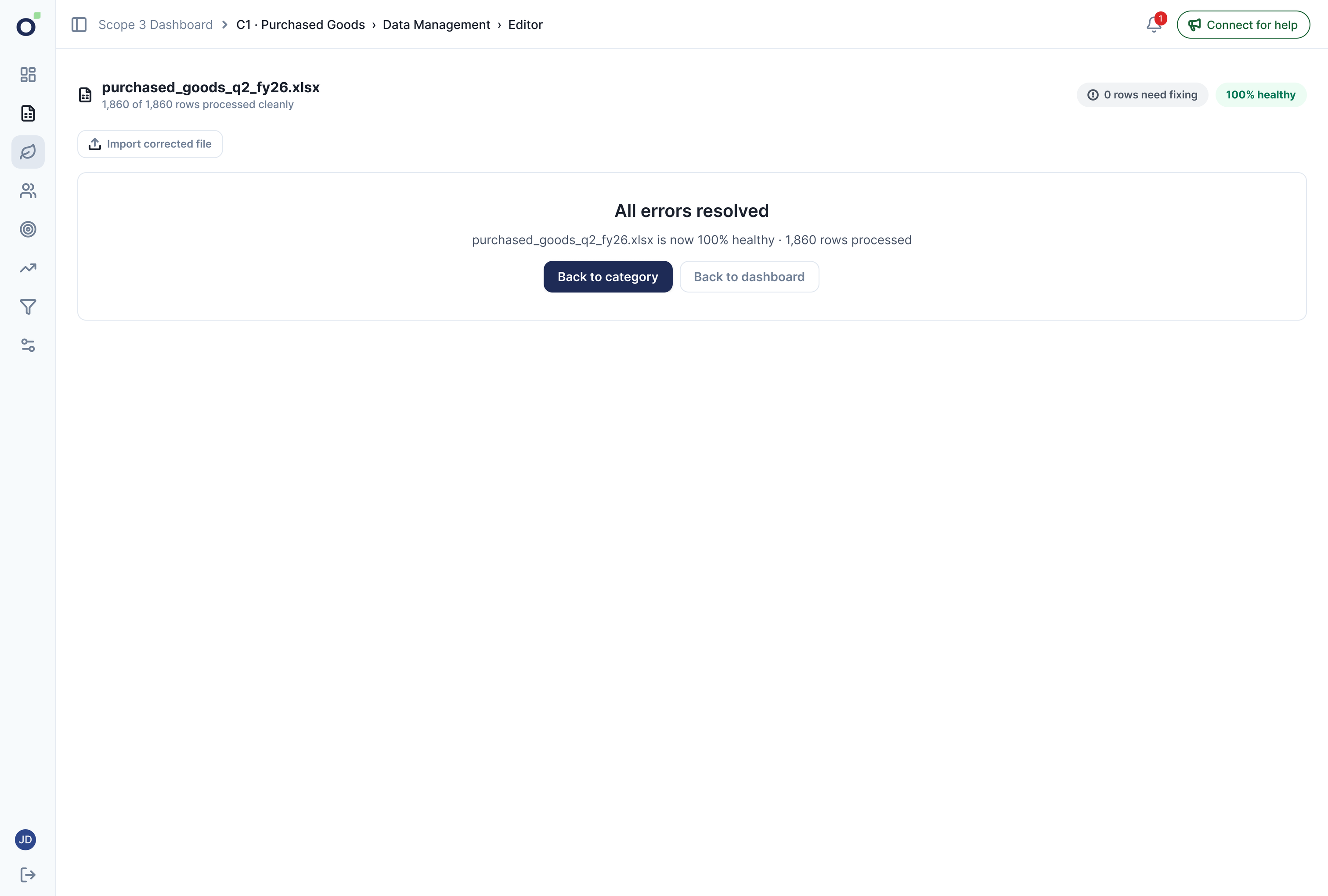
The saved state confirms that corrections have been processed.
Open full-size screen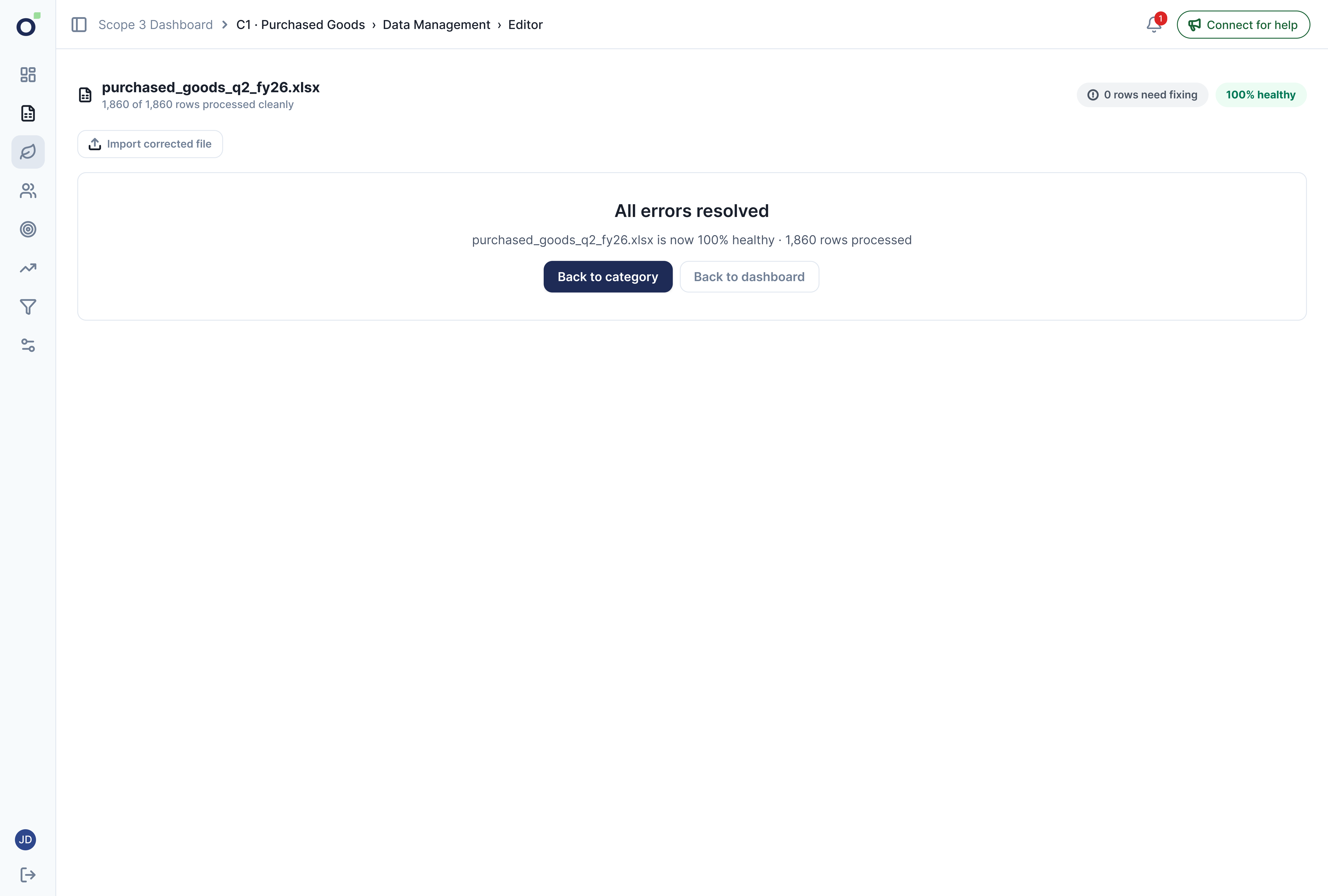
The calculation rules came from the brief. Reviewing the logic corrected an early interpretation: A, B, C and D named methods, not data-health grades. I replaced those codes with full names and kept health separate.
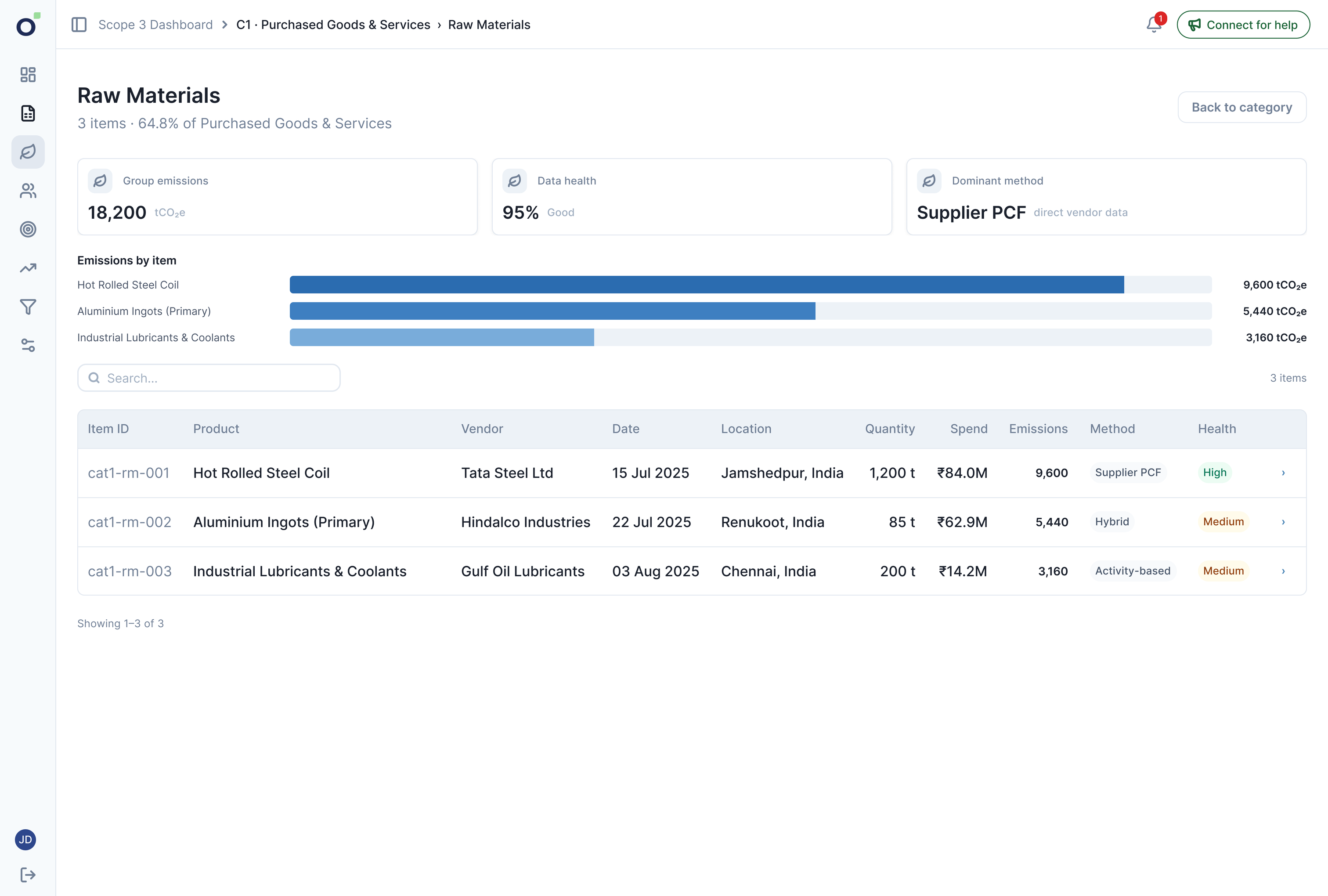
Category, group and item views reveal progressively more detail. But the database did not retain every calculation step. Partial detail shipped; a complete audit history needed backend work, not just a more detailed drawer.
Explain what the system knows, without implying evidence it does not store.
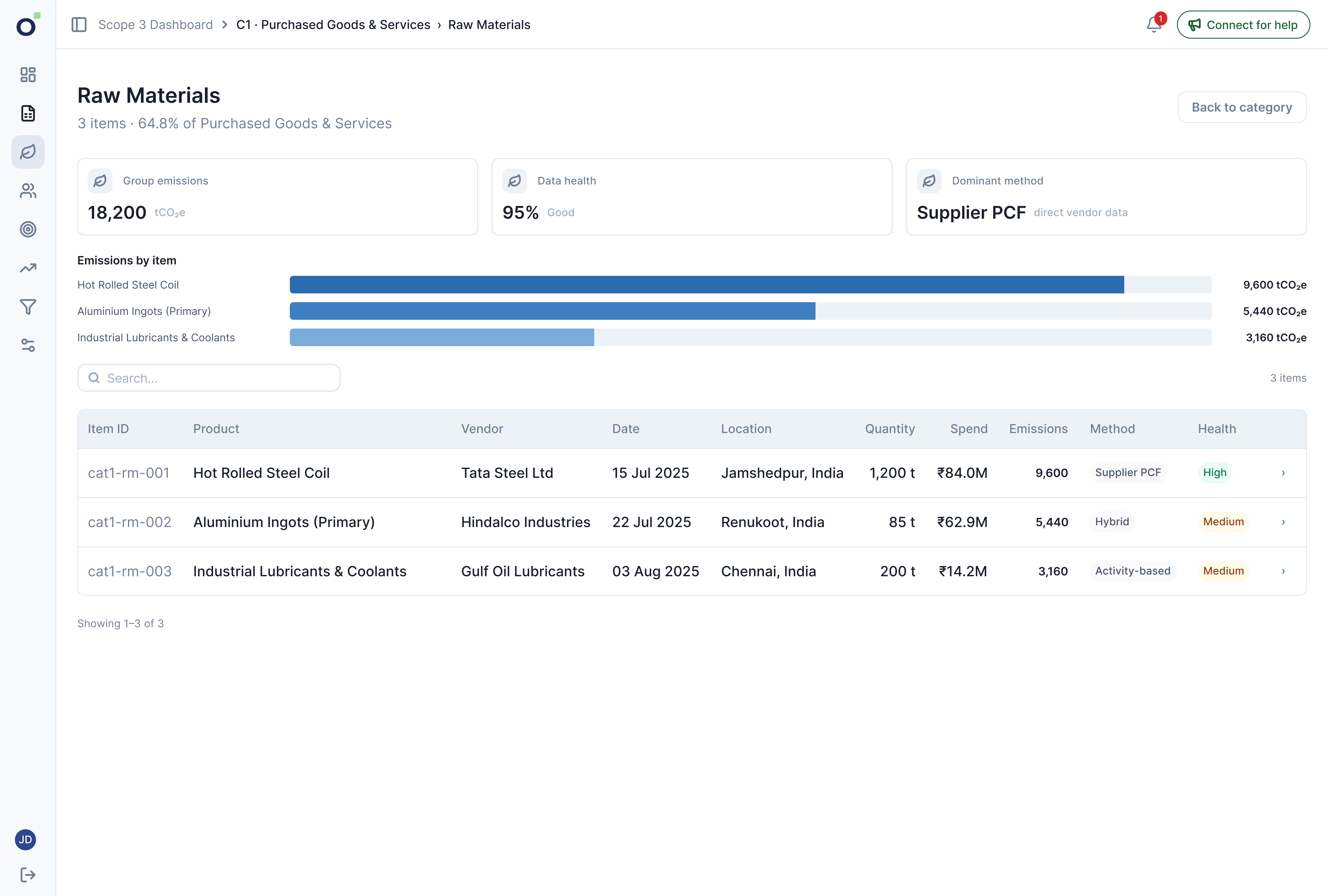
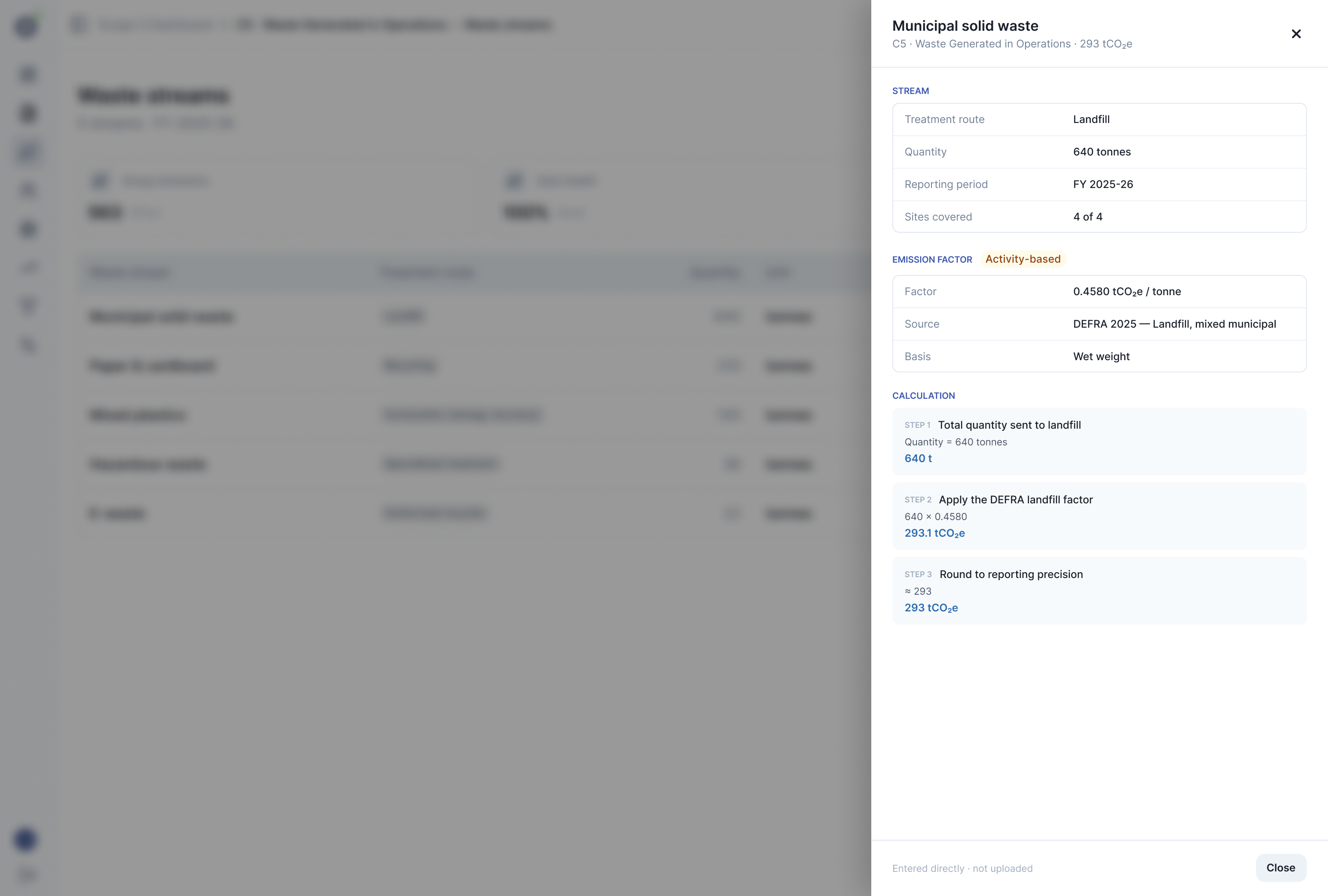
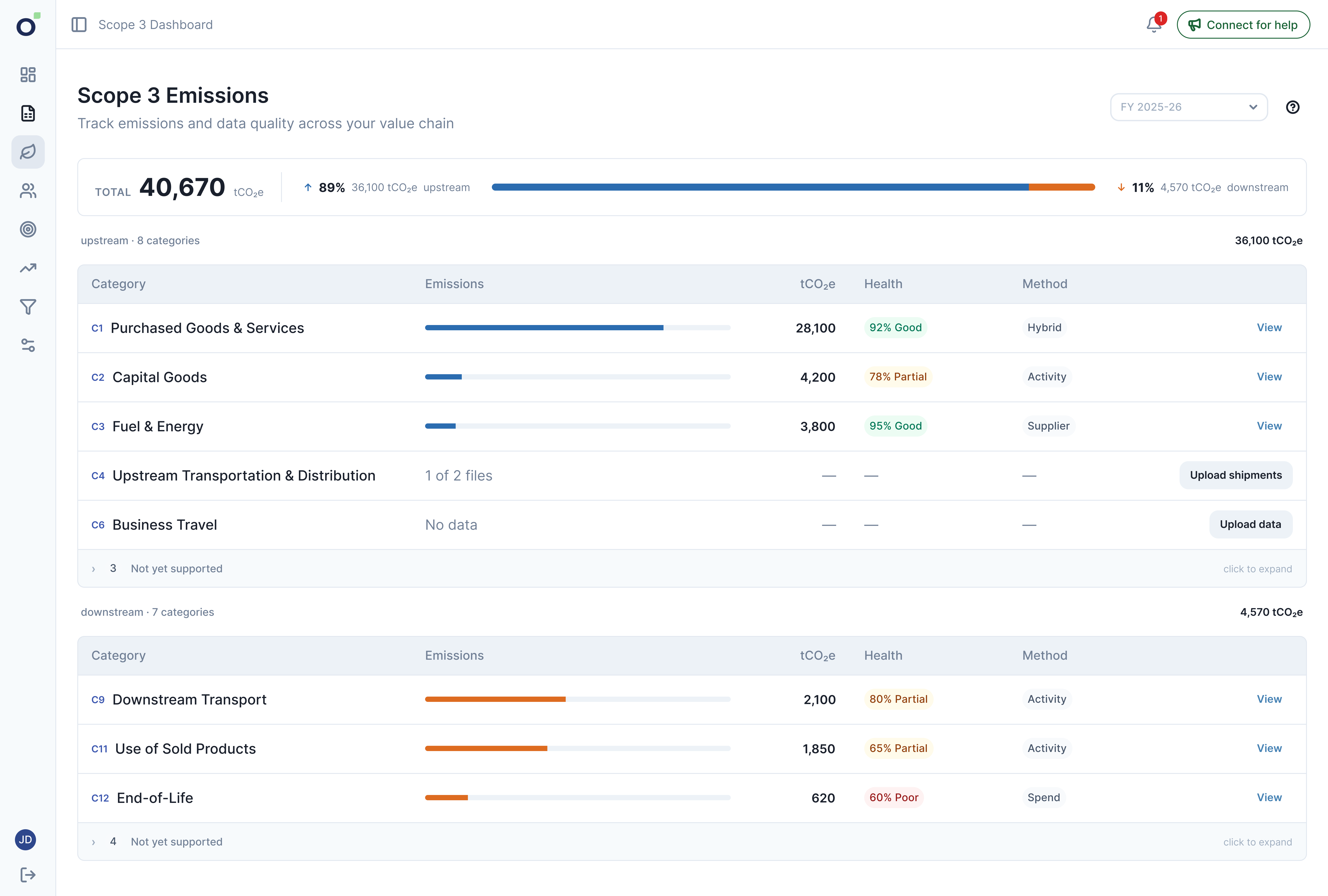
The brief specified this hierarchy. Each level narrows the question, from a reporting overview to the evidence behind one record. I made the depth purposeful through the content and actions at each step.
Compare categories and their status.
See its total, groups and uploaded files.
Inspect a smaller set of related line items.
See its input and available method detail.
Reporting detail follows this hierarchy. Uploading and correcting files remain available from the category.
Edge cases were part of the workflow, not separate error screens added at the end.
Keep processed data safe while failed cells stay editable. A partial correction leaves the remaining errors available to fix.
Offer its template and upload action in context, before any data exists.
Explain which formats are supported before the user tries again.
Show a failure state with a clear retry path, not an indefinite loading state.
Ask for confirmation before replacing it. Keep cancellation available.
Offer save, discard or cancel before navigation loses their changes.
Documented design behaviour. These diagrams explain the states; they are not product screenshots.
05 · What shipped
I documented ten flows, reviewed the build and implemented production frontend changes: category upload, inline editing and sequential-upload gating. Engineering led the backend and wider implementation. The workflow shipped in May, with further refinements in June.
The audits challenged repeated summary, guidance and navigation elements. I simplified these instead of adding more explanations around them.
I flagged clipped dashboard content and duplicated headings and guidance. I retained engineering’s keyboard-accessible rows, loading states and retry handling.
Three major refinements show what changed and why. Five smaller changes follow.
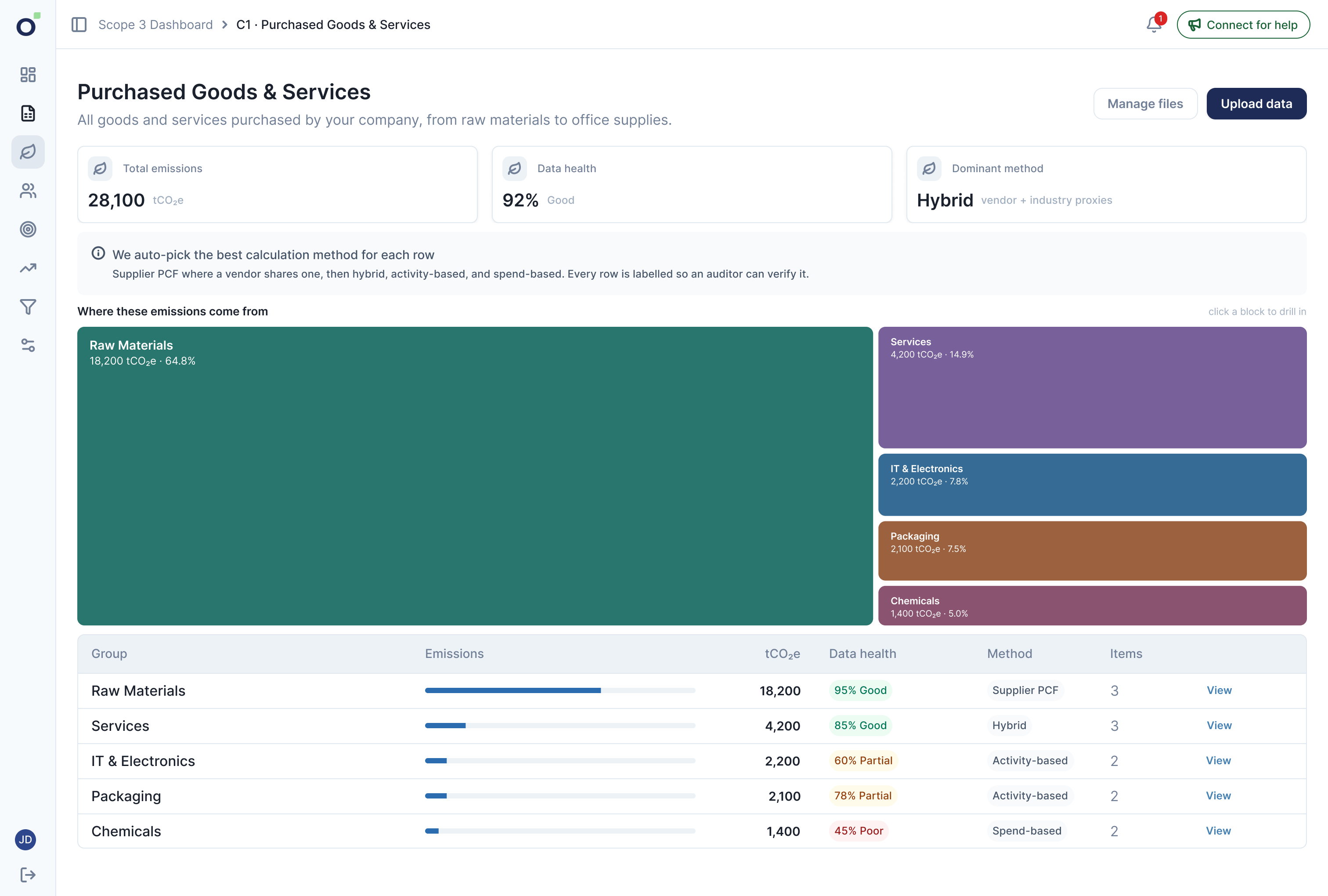
Three summary cards
Keep the total and its split visible without pushing the category table down.
Separate resume card
Remove a second list of categories already present below.
Welcome card
Explain one idea at a time and retain help after the first upload.
Multiple dashboard views
Prioritise comparing and acting on category data. The table-only refinement reached production in June.
Duplicate category navigation
Keep one route into the same work.
Six of fifteen categories were supported at launch; the rest were marked unsupported, not ‘not applicable’. N/A justifications needed stored reasons. Background upload status remained in the design, not in production.
06 · Results
The live product strongly supports the first goal, shows use of the second, and leaves the third only partly evidenced. The distinction matters: route visits and clicks do not prove successful processing or comprehension.
Matched 130-day windows · Reaching upload measures progression, not successful processing.
8 of 11
Uploading organisations uploaded in more than one month.
Each block represents one organisation · Client-only production activity.
Add category data and return for the next reporting period.
Strong behavioural evidence
Six of 37 client users reached upload before launch; 22 of 27 did after. Most organisations with upload activity repeated it in another month. This measures reaching and using the workflow, not a successfully processed file.
Track upload outcome, rows accepted and rows rejected, then separate client work from assisted delivery.
Correct invalid data inside the product, with the file still in context.
Usage evidence
People used the in-product editor after the old offline repair loop was removed. These figures include client and internal production traffic, and a Save click does not prove that every failed row was resolved.
Track corrected rows, remaining errors and whether the file returns to a valid processing state.
Follow an emissions total down to the data and method behind it.
Partial evidence
Clients explored the result hierarchy, but the product did not record calculation success and no comprehension study was run. The database also lacked the full history needed for complete traceability.
Store calculation history, emit a calculation-ready event and test whether users can explain a record from source to total.
Conversion, repeated upload activity and result exploration use client-only production and tenant data; staff, QA and test accounts are excluded. Editor Save figures cover all production traffic and are labelled separately. Samples are small. The matched pre/post comparison shows observed behaviour, not an A/B test or proof of causation.
07 · Next steps
Clicks show use; they do not show whether the task was completed. I would check saved processing records to measure successful uploads and corrections. Two observed friction points would guide the next design tests.
I connected collection, correction and explanation, and carried that design into production. Live behaviour strongly supports the move from dashboard to upload, while recovery and explanation still need outcome-level instrumentation. The next test is whether files finish processing, failed rows are resolved and teams can account for the resulting numbers.